Still Using a Cash Register in Your Shop Instead Of A POS System? Here Is What You Are Missing Out On
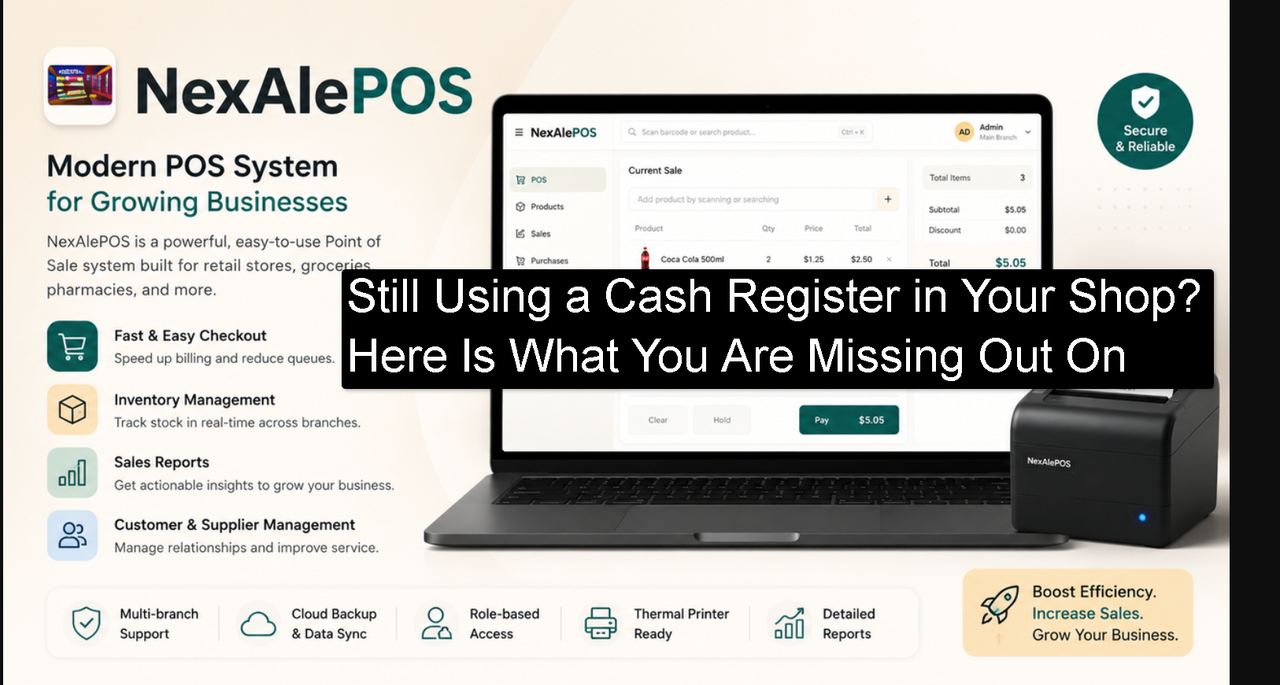
Still Using a Cash Register in Your Shop Instead Of A POS System? Here Is What You Are Missing Out On
There's something familiar about a cash register. The click of the keys. The sound of the drawer opening. The printed receipt curling out from the top. If you've been running your shop for a few years, that machine probably feels like part of the furniture. Comfortable. Reliable. Known.
And that's exactly why so many shop owners don't change it.
Not because cash registers are actually the best tool for the job. But because switching feels like a risk, and the cash register feels like a certainty. You know what it does. You know its limits. You've built your whole operation around it.
But here's the honest truth. While that cash register is recording sales, it is not helping you understand your business. It's not tracking your stock. It's not remembering your customers. It's not showing you which products are making you money and which ones are quietly draining your cash flow.
This article is a direct comparison between what most small shop owners are working with right now and what a modern tool like NexAlePOS actually offers. Not in a salesy way. Just plainly, so you can make an informed decision.
Why Cash Registers Feel Safe But Hold Your Business Back
Cash registers have been the backbone of retail for over a hundred years. They were designed to do one thing well: record a transaction and store the cash. For a long time, that was enough.
The problem is that running a profitable shop in today's world requires more than recording transactions. It requires understanding your business. And that's something a cash register simply was not built to do.
The Familiarity Problem
When something has always worked a certain way, it's hard to imagine doing it differently. This is especially true in small business, where the owner is often the one who set everything up, trained the staff, and built the daily habits that keep things running.
Switching systems feels like undoing all of that. And there's a real psychological cost to change, even when the change is clearly beneficial.
But here's the thing. The shop owners who upgrade their systems and start using proper POS software almost always say the same thing afterward: they wish they had done it earlier. Not because the new system is perfect, but because the information they were missing before suddenly becomes visible, and that visibility changes everything.
What Cash Registers Simply Cannot Do
Let's be specific about the limitations, because vague comparisons don't help anyone.
A standard cash register:
- Records each transaction as a total amount, not as individual products
- Cannot track which specific items were sold and in what quantities
- Has no way to reduce your stock count automatically when a sale happens
- Cannot tell you which products are low, running out, or overstocked
- Has no memory of who your customers are or what they've purchased before
- Cannot produce a report showing your best-selling items, busiest hours, or total monthly revenue
- Cannot give different staff members different access levels or track who processed which transaction
Every one of those limitations is something NexAlePOS addresses directly. Not as a bonus feature. As core functionality.
What Changes When You Switch to NexAlePOS
Switching to NexAlePOS doesn't just replace your cash register. It changes how you see your business. Let's walk through the most significant differences.
Your Inventory Finally Makes Sense
Right now, if someone asks you exactly how many units of any given product you have in stock, what do you do? You probably either guess based on what you remember from last time you looked, or you physically go and count.
Manual stock counting takes time. It's also prone to error. And between counts, things happen. Products sell. Sometimes things get damaged or misplaced. By the time you count again, the number has already changed.
NexAlePOS connects your sales directly to your inventory. Every time something is sold at the till, the stock count for that product goes down by the right amount automatically. No extra steps. No separate recording. No end-of-day reconciliation.
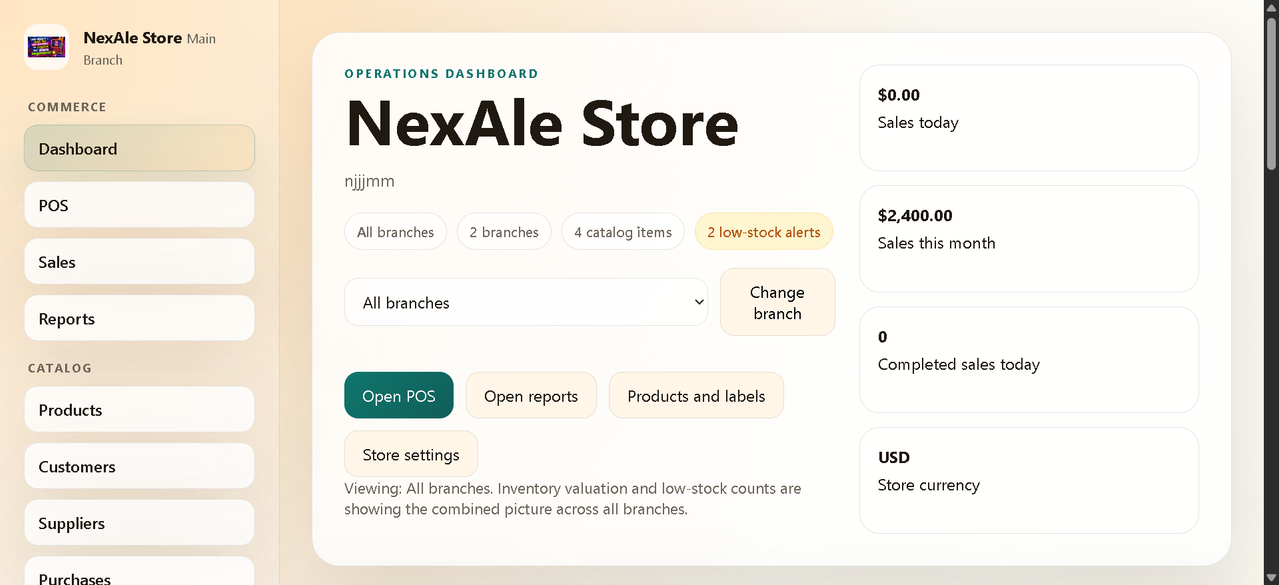
You set a minimum stock level for each product. When the count drops below that level, the system alerts you. You know before you run out. You can reorder before customers start walking away empty-handed.
For shop owners who have experienced the embarrassment of confidently promising a customer that you have something in stock and then not being able to find it, this feature alone is worth making the switch.
You Know Your Customers
Think about your five best customers. Not just people who come in often, but the ones who spend the most and trust your shop the most. Can you say with certainty who they are?
For most small shop owners running on a cash register, the honest answer is a rough guess. You recognize faces. You might remember names. But actual purchase history? Spending patterns? Total value spent over the past year? That information doesn't exist in your current setup.
NexAlePOS lets you build a customer database as a natural part of your checkout process. When a customer makes a purchase, you can link it to their profile. Over time, that profile tells you what they buy, when they buy it, and how much they spend.
That information is useful in very practical ways. If a customer typically buys a certain type of product, you can let them know when you get new stock of something similar. If someone hasn't been in for two months, you can reach out. If a customer has been loyal for years, you can reward that loyalty in a way that makes them feel seen.
These are the kinds of relationships that build a shop's reputation over time. NexAlePOS gives you the tools to build them intentionally rather than leaving it to chance and memory.
Your Staff Are Accountable
If you have anyone helping you in the shop, whether that's a family member, a part-time employee, or a full team of cashiers, you've probably thought about how to make sure transactions are handled correctly.
With a cash register, accountability is limited. You might check the till at the end of the day and see whether the total matches. But if there's a discrepancy, you often have no way to trace it back to a specific transaction, a specific time, or a specific person.
NexAlePOS creates separate user accounts for each team member. Every transaction is logged with the user who processed it. You can see exactly what happened, when, and who was responsible.
Permissions are customizable. A cashier can process sales and handle returns. They cannot change product prices, view financial reports, or access sensitive business data unless you specifically allow it. A manager might have broader access. As the owner, you see everything.
This isn't about not trusting your team. It's about having the structure in place so that honest mistakes are caught quickly and any dishonest behavior leaves a traceable record. Good systems protect everyone, including the staff who are doing their jobs correctly.
The Numbers: What Upgrading Actually Costs vs What It Saves
Let's talk about money directly, because that's usually where these decisions get made.
One-Time vs Recurring Costs
NexAlePOS is a one-time purchase. You pay once, you own it. There's no monthly subscription, no annual renewal, no tiered pricing that hides the features you actually need behind a more expensive plan.
Compare that to most of the popular cloud-based POS alternatives. They charge per month. The fees vary, but even at a modest rate, the costs add up significantly over time.
Over two years: a monthly subscription at an average rate could cost you anywhere from several hundred to over a thousand dollars, depending on the plan you need.
Over five years: that same subscription could represent a substantial portion of what you might spend on restocking, marketing, or equipment for your shop.
NexAlePOS turns that ongoing cost into a one-time investment. That's a real financial advantage for a small business where every dollar of ongoing expense matters.
The Opportunity Cost of Slow Checkout
Here's a cost that rarely gets calculated but is just as real as a subscription fee. The time lost to a slow checkout process.
On your busiest day of the week, how long does it take to serve one customer from the moment they bring their items to the counter to the moment they leave? Thirty seconds? A minute? Two minutes?
Now imagine that your checkout process was fifteen seconds faster per customer because products are found instantly by barcode scan, prices are accurate without manual lookup, and the receipt prints automatically.
If you serve sixty customers on a busy day, fifteen seconds saved per transaction is fifteen minutes of recovered time. That's extra capacity you didn't have before. More customers served. Shorter queues. Fewer people leaving because the line is too long.
Fast checkout doesn't just save time. It improves the customer experience. Happy customers come back. Returning customers don't need to be acquired again. The long-term revenue impact of a better checkout experience is real, even if it's hard to put an exact number on it.
Real Scenarios Where NexAlePOS Makes a Difference
Abstract comparisons are useful but real situations hit differently. Here are three common scenarios that almost every shop owner deals with, and how they play out differently with NexAlePOS.
Scenario 1: End of Month Stock Count
Right now: You or a staff member walks through the shop with a clipboard and manually counts every product. This takes hours. You compare the count to your last records and try to figure out what happened to the difference. You might find discrepancies you can't explain. You reorder based on a combination of the count and your best judgment about what's been selling.
With NexAlePOS: Your stock count is updated automatically with every sale throughout the month. At the end of the month, you open the inventory report, review the numbers, and place orders based on actual data. The process that used to take most of a day now takes twenty minutes.
Scenario 2: A Customer Wants to Return Something
Right now: The customer brings the item back. You try to find the receipt. Sometimes they have it, sometimes they don't. You have no way to verify the original sale in your system. You handle it based on your memory and policy, which may feel inconsistent to the customer.
With NexAlePOS: You look up the transaction by the customer's name, their receipt number, or the date of purchase. The original sale is there, with the product, price, and payment method. You process the return cleanly and accurately. The customer leaves feeling like they were treated fairly because the process was professional.
Scenario 3: You Want to Know If Last Week Was Better Than the Week Before
Right now: You look at the total cash you took in and compare it roughly to what you remember from the week before. If you kept records, you check those. The comparison is approximate at best.
With NexAlePOS: You open the sales report, select last week's date range, and compare it to the previous week. You see not just the total revenue but which products drove the difference. You see whether the average transaction value went up or down. You see which days were strongest. You have a clear, accurate picture in under a minute.
What the Setup Actually Looks Like
One of the most common hesitations about switching from a cash register to a software-based POS is the setup. The assumption is that it must be technically complicated and time-consuming.
The reality is more manageable than most people expect.
NexAlePOS is a web application built on PHP. That means it needs a hosting account to run on. If you have a website already, you may already have what you need. If not, a basic shared hosting plan from any standard provider will work.
The installation involves uploading the files to your hosting account, setting up a database, and completing a short setup process. Most people who have set up a website before can do this without help. Those who haven't might spend a couple of hours learning, or can hire a freelancer for a very modest fee to handle the technical part.
Once the installation is complete, your daily experience has nothing technical about it. You log in, you see a clean dashboard, and you use it just like any other website-based tool. Adding products, processing sales, checking reports, managing customers, all of it works through a straightforward interface that new staff members can learn in an hour or less.
The setup is a one-time effort. You do it once, and then you benefit from it every day.
Features Worth Knowing in Detail
Let's look at the specific features of NexAlePOS in a bit more depth, because the details matter when you're comparing options.
The Sales Screen
The main checkout screen is designed for speed. You can search for products by name or scan barcodes. Items appear instantly in the cart. Quantities can be adjusted with a single click.
Discounts can be applied at the item level or the whole cart level. Payment types, including cash and bank transfer, are selectable. The receipt is generated automatically and can be printed or emailed.
The interface works on any screen size, including tablets, which many shop owners use as a dedicated till setup.
Inventory Alerts
Every product in NexAlePOS has a minimum stock setting. When stock falls below that level, the system flags it. You can check your inventory status at any time from the dashboard without doing a physical count.
You can also run an inventory report to see the current stock level for every product, filtered by category or status. This makes the reordering process systematic and data-driven rather than a guessing game.
Customer Profiles
When a customer makes a purchase, you can link the transaction to their account. Over time, that account builds up a complete purchase history. You can add contact details, notes, and any other information relevant to serving that customer well.
The customer database is searchable and filterable. You can find customers by name, by email, by purchase frequency, or by total spending. This is the kind of tool that lets you treat your regulars like they deserve to be treated.
Reporting
NexAlePOS includes a reporting module that covers all the key metrics a retail shop owner needs to see.
You can pull:
- Daily, weekly, and monthly sales summaries
- Product performance reports showing units sold and revenue per product
- Payment method breakdowns showing how much of your revenue came from cash versus card
- Customer spending reports showing your highest-value buyers
- Inventory reports showing current stock levels and low-stock alerts
These reports don't require any technical skill to read. They're presented in straightforward tables and summaries that make sense immediately.
Multi-User and Permissions
NexAlePOS supports multiple user accounts with different permission levels. As the owner, you define what each user can access.
This matters for two reasons. First, it protects sensitive business information. Second, it means you can let staff work independently without worrying that they'll accidentally change something they shouldn't. Accountability and autonomy can coexist when the system is set up correctly.
Is NexAlePOS Right for Your Specific Type of Shop?
NexAlePOS was built for retail businesses that sell physical products. Within that category, it fits a wide range of shop types.
It works well for:
- Clothing and accessories shops
- Phone and electronics accessory stores
- Grocery and general goods shops
- Hardware and tools retailers
- Cosmetics and beauty product stores
- Stationery and supplies shops
- Any shop where products have barcodes or fixed prices and the checkout process is the main customer interaction
It is not designed for food service businesses where orders go to a kitchen, tables need to be tracked, or modifiers and combos are a core part of the menu. If your business is primarily a restaurant or cafe, a hospitality-specific POS would serve you better.
For the straightforward retail model where a customer picks a product and pays for it, NexAlePOS is a very well-suited tool.
Thinking About Your Own Shop for a Moment
Before wrapping up, I want to invite you to think about your current setup honestly.
Not in a way that's supposed to make you feel like you've been doing things wrong. Most shop owners built their operations with the tools that were available and affordable at the time. The cash register you're using probably seemed like the right call when you got it.
But businesses grow. Situations change. The tools that got you started aren't always the ones that will take you further.
Ask yourself these questions:
- Do you know exactly how many units of your ten best-selling products you have in stock right now?
- Could you look up the purchase history of a specific customer if you needed to?
- Could you tell someone what your revenue was for the same week last month without checking a separate record?
- Do you know which of your staff members processed the most transactions last Tuesday?
If the answer to most of those questions is no, you're running your business with a significant information gap. And information gaps cost money. They cost you in misordered stock, in missed opportunities with loyal customers, in time spent on manual processes, and in decisions made on guesswork rather than data.
NexAlePOS closes those gaps. Not through anything complicated. Just through having the right system in place.
The Honest Conclusion
Switching away from a familiar tool is never easy. There's a comfort to what you know, and that comfort is worth something. Acknowledging that is important.
But the right move for your business isn't always the comfortable one. It's the one that gives you more control, more clarity, and more capacity to serve your customers well and run a profitable shop.
NexAlePOS is not a perfect solution for every business. Nothing is. But for the small to medium retail shop owner who wants real inventory visibility, faster checkout, meaningful customer records, and useful reporting, all at a one-time cost with no ongoing fees, it makes a genuinely strong case for itself.
The businesses that thrive over the long term are usually the ones that take their systems seriously. The ones that invest in the right tools, even when those tools require a small adjustment period.
You deserve to run your shop with the information you need to make good decisions. That's not a luxury. It's a basic requirement for sustainable success.
If you've been thinking about upgrading your setup, the information you need to make that decision is right here.
Frequently Asked Questions
Can I use NexAlePOS with my existing barcode scanner?
Yes. NexAlePOS supports barcode scanning through standard USB and Bluetooth barcode scanners that connect to your device. Any scanner that works as a keyboard input device should be compatible.
Does NexAlePOS work without an internet connection?
NexAlePOS is a web application that requires a network connection to function. If you host it on a local server within your shop, it can run on your local network without needing public internet access.
Can I use NexAlePOS on more than one device at the same time?
Yes. Because it's browser-based, multiple devices can access it simultaneously. You could have one device at the checkout counter and another in the back for managing inventory or checking reports.
Is my data secure?
Your data is stored on your own hosting account, not on a third-party server. This means you control where your business data lives and who has access to it.
What payment methods does NexAlePOS support?
NexAlePOS supports cash, bank transfer, and other manual payment types. It is not a payment processor itself but records and categorizes payments made through your existing payment handling.
Can I transfer my existing product list into NexAlePOS?
Product data can be entered manually or imported in bulk. If your current product data is in a spreadsheet format, it can typically be imported to save time during setup.
Get Access to NexAlePOS
More Posts:
- This open-source AI video model creates 4-minute videos directly on your PC
- Claude’s New Infinite Context Window Could Change How You Work Forever
- American AI Startup Poolside Releases Laguna XS.2, a Free High-Performance Open Model for Local Agentic Coding
- How to Rank in AI Search Engines: The Ultimate Practical Guide
- xAI Unveils Grok 4.3 with Ultra-Low Pricing and Advanced Voice Cloning Tech