BrowserAgent Review: Can an AI Browser Agent Really Do Online Work for You?
BrowserAgent Review: Can an AI Browser Agent Really Do Online Work for You?
Most AI tools are good at giving answers. Some are excellent at writing drafts, summarizing information, creating images, or helping you think through a plan. But after the answer appears on the screen, the real work usually comes back to you.
You still have to open websites. You still have to search Google Maps. You still have to copy details into a spreadsheet, check business listings, visit competitor pages, write outreach messages, post content, fill out forms, and organize the results.
That gap is exactly where BrowserAgent is trying to position itself.
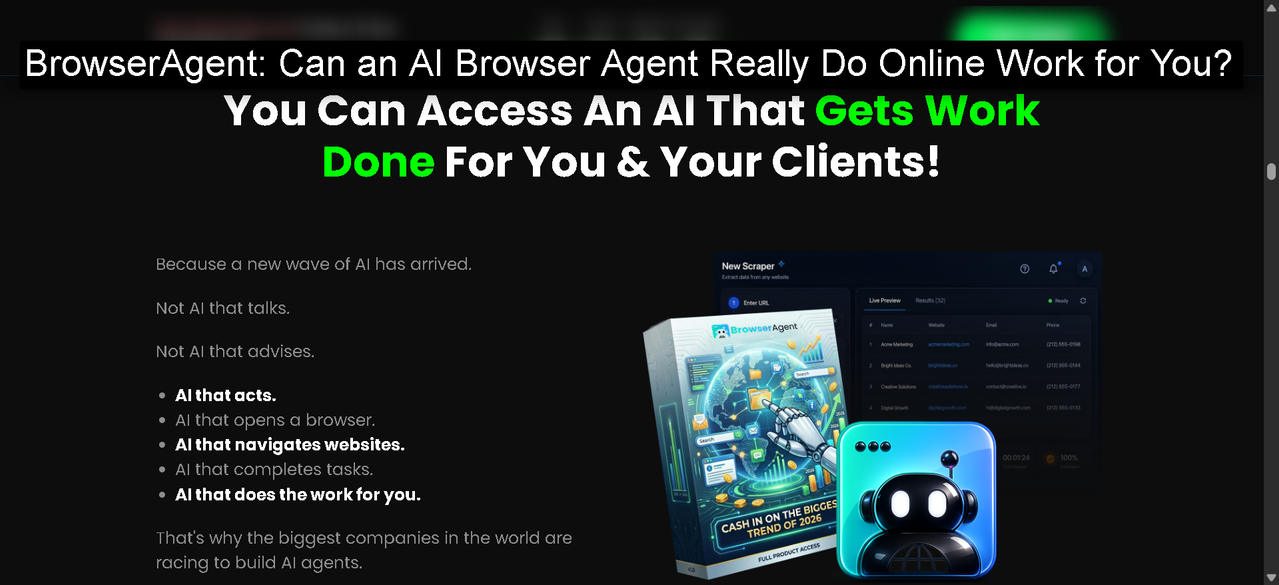
BrowserAgent is not being sold as another chatbot. It is presented as an AI browser agent that can take a plain-English instruction, open a real browser, and complete web-based tasks while you watch. It can click, type, scroll, collect information, fill forms, post content, and return usable results from real websites.
That is a meaningful difference if it works well in practice. A text-based AI can tell you how to research local businesses. BrowserAgent is designed to actually visit the sites and gather the information. A chatbot can help you draft a social media caption. BrowserAgent is designed to help publish or schedule it. A normal AI tool can explain how to audit a local business listing. BrowserAgent is built to run parts of that workflow in a live browser.
For business owners, freelancers, local marketers, SEO consultants, agency operators, and content creators, that promise is worth a closer look.
If you want to start with the main version first, review the entry offer before deciding whether you need the expanded packages.
What Is BrowserAgent?
BrowserAgent is an AI-powered browser automation platform. The core idea is simple: instead of only generating text, the tool uses a real Chromium browser to perform tasks on the web.
You type an instruction in plain English. BrowserAgent opens a browser session in the cloud. Then it works through the task by navigating websites, clicking links, typing into fields, extracting information, and organizing the output.
The product material describes several common tasks:
- Building local lead lists from Google Maps, Yelp, and directories
- Running local SEO audits
- Checking competitors
- Gathering reviews and reputation data
- Sending or preparing personalized outreach
- Posting or scheduling social content
- Creating affiliate-style product research articles
- Monitoring pages and running repeat tasks
- Exporting results to CSV, Excel, or Google Sheets
The biggest selling point is not that BrowserAgent understands a prompt. Many AI tools do that. The bigger point is that it can take action through a browser.
That matters because a lot of digital work is still browser work. Marketers do not only need ideas. They need data collected, pages checked, forms completed, screenshots reviewed, social accounts updated, reports exported, and prospect lists cleaned up.
BrowserAgent is aimed at people who already spend too much time doing those repetitive tasks by hand.
For users who already know they want the broader package instead of only the entry version, the bundle option is worth comparing before buying.
Why Browser-Based AI Is Different From a Normal Chatbot
The easiest way to understand BrowserAgent is to compare it with a regular AI chatbot.
A chatbot can answer a question like:
“How do I find dentists in Miami that need marketing help?”
It may give you a useful strategy. It might suggest searching Google Maps, checking ratings, looking for businesses without websites, reviewing their social pages, and then creating a spreadsheet.
That is helpful, but the job is still yours.
BrowserAgent is designed for a different kind of instruction:
“Find 200 dentists in Miami, check which ones have weak websites or low review counts, and organize the results in a spreadsheet.”
The tool is built to use a browser to perform the task itself. That shifts the value from advice to execution.
This difference is important because online business work often breaks down into repetitive browser actions. Search. Open. Copy. Paste. Compare. Export. Repeat.
Most people do not hate strategy. They hate the dull parts that come after strategy.
BrowserAgent is built around those dull parts.
If your main goal is to reduce repetitive work and test the core browser agent, start here:
BrowserAgent Demo Review: Can This AI Browser Agent Really Do Your Online Work for You?
The Main Promise: From One Sentence to Finished Work
The sales material frames BrowserAgent around a four-step workflow:
- Tell it what you want.
- Watch it take over a browser.
- Let it complete the job in the cloud.
- Get the finished result.
That is a clean promise, and it is easy to understand. You do not need to build automations manually. You do not need to write code. You do not need to connect API keys. You do not need to manage a local browser on your own computer.
For many users, that simplicity is the point.
The tool also includes pre-built missions. These are ready-made workflows for common business tasks. Instead of writing every prompt from scratch, users can choose a mission, adjust the details, and run it.
That matters for beginners. A powerful automation tool is only useful if people know what to do with it. Pre-built missions reduce the blank-page problem.
For example, a local marketer may not know how to structure a complete local SEO audit. A ready-made mission gives them a starting workflow. A freelancer may not know how to build a lead list from scratch. A lead-generation mission can help them start faster.
The more advanced upgrade path, including additional tools and capacity, is available here:
Explore the BrowserAgent xBundle.
The Live Browser Feed Is a Big Part of the Appeal
One of the more interesting BrowserAgent features is the live browser feed.
With many AI tools, the process is hidden. You type a request, wait, and receive an answer. You do not always know what the tool checked, what it skipped, or whether it understood the page correctly.
BrowserAgent gives users a visible browser session. You can watch the cursor move, see the sites it visits, and monitor the task in real time.
That transparency is useful for two reasons.
First, it builds confidence. If the tool says it checked a Google Business Profile, you can watch the work happen. If it visits a directory or gathers review data, the process is visible.
Second, it helps with quality control. AI automation is powerful, but it should not be treated like magic. For important client work, users still need to review the output. A visible browser feed makes it easier to understand how the result was produced.
For agencies and freelancers, this can also become part of the workflow. You can run the task, monitor the browser session, review the final spreadsheet or report, and then polish the deliverable before sending it to a client.
If you want the extra training, templates, and community layer around the bigger package, keep the add-on resources in mind as you compare options.
Practical Use Case 1: Local Lead Generation
Local lead generation is one of the clearest BrowserAgent use cases.
A lot of businesses need leads, but building a good lead list is slow. You have to search by city and niche, open business profiles, check websites, look at reviews, find contact information, identify weak spots, and organize everything.
BrowserAgent can help with the research-heavy parts of that process.
A user might ask it to find plumbers in Dallas with poor websites, low review counts, missing contact details, or outdated business profiles. The tool can browse sources like Google Maps, Yelp, and local directories, then collect names, phone numbers, websites, ratings, and other useful details.
That does not mean the user should blindly send messages to every business on the list. Good outreach still needs judgment. But BrowserAgent can reduce the time it takes to build the first version of the list.
This is valuable for:
- Web designers looking for businesses with poor websites
- SEO consultants looking for businesses with weak local visibility
- Reputation managers looking for businesses with review problems
- Social media managers looking for inactive local businesses
- Freelancers looking for prospects in specific cities
The real win is speed. A task that normally takes hours of clicking and copying can become a guided browser mission.
If lead generation is your main reason for looking at the tool, the entry product is the simplest place to begin:
Start with BrowserAgent Premium FE.
Practical Use Case 2: Local SEO Audits
Local SEO audits are useful, but they can be repetitive.
To audit a local business properly, you may need to check:
- Google Business Profile completeness
- Business category accuracy
- Review count and review quality
- Competitor listings
- Citation consistency
- Website basics
- Social presence
- Directory visibility
- Reputation patterns
Doing this manually for one business is manageable. Doing it for 10, 20, or 50 prospects is exhausting.
BrowserAgent can help collect and organize the audit data. It can visit relevant listings, compare public information, scan directories, and help produce a report that a marketer can review and refine.
This is a good example of where AI browser automation makes sense. The work is not purely creative. It is a mix of checking, comparing, collecting, and summarizing.
That kind of workflow is ideal for browser assistance.
The human still matters. A good consultant should interpret the findings, remove weak claims, add context, and make recommendations that fit the business. But BrowserAgent can handle a meaningful part of the initial research.
For users who want more client-delivery assets and templates, the MegaBundle may be useful:
Practical Use Case 3: Competitor Research
Competitor research is another task that sounds simple until you do it.
A business owner may want to know:
- What competitors are posting
- Which offers they are promoting
- How often they publish content
- What their reviews say
- What customers complain about
- How their pricing appears online
- What keywords or topics they focus on
Gathering that information manually takes time. It also becomes outdated quickly.
BrowserAgent can help by visiting competitor pages, pulling public information, checking social profiles, organizing patterns, and summarizing what it finds.
For marketers, this can become a useful planning tool. Instead of guessing what competitors are doing, you can ask BrowserAgent to collect live examples and then use your judgment to build a better content, SEO, or outreach plan.
This is especially helpful for small businesses that do not have a full marketing team. They may not need a complicated enterprise research platform. They need a faster way to understand what is happening in their market.
If you want the wider package with additional included tools, review it here:
Practical Use Case 4: Cold Outreach Research
Cold outreach fails when it feels lazy.
The problem is that personalization takes time. If you want to send a specific message to each prospect, you need to visit their website, understand what they do, notice something relevant, and write a message that does not sound like a generic template.
BrowserAgent is positioned as a way to make that research easier.
For example, it can visit each prospect website, read public information, identify a relevant detail, and help generate a tailored message. That can be useful for web design, SEO, social media, reputation management, and consulting services.
The key is to use this responsibly.
Good outreach should be relevant, respectful, and compliant with the platform rules where it is sent. BrowserAgent can help with the research and drafting. The user still needs to review the message, avoid spammy behavior, and make sure the offer is genuinely relevant.
Used well, this can help freelancers and small agencies send fewer but better messages.
For users who want the faster upgrade path that includes multiple higher-level features, this option is available:
Practical Use Case 5: Social Media Posting and Repurposing
Many businesses do not struggle because they have no ideas. They struggle because publishing consistently is tedious.
A business might need to post on Facebook, Instagram, LinkedIn, X, and Pinterest. Each platform has its own flow. Logging in, uploading, pasting captions, adjusting formatting, and scheduling posts can eat up time quickly.
BrowserAgent is designed to help with browser-based posting and scheduling workflows.
A user could prepare a batch of content and use BrowserAgent to help distribute it across accounts. The tool can also assist with competitor post research and content repurposing.
This is useful for:
- Social media managers
- Local business owners
- Content creators
- Small agencies
- Consultants managing multiple client accounts
The important thing is to keep human review in the process. Automation can help publish faster, but it should not replace brand judgment. Captions still need to sound right. Links need to be checked. Images need to match the message. Platform rules should be respected.
For users who want additional templates and training around these workflows, the MegaBundle is here: See BrowserAgent MegaBundle.
Practical Use Case 6: Product and Affiliate Content Research
BrowserAgent can also help with product research and review-style content.
For example, a user may want to compare products in a niche, gather public pricing details, identify pros and cons, look at review patterns, and organize the research into a draft article.
This can be helpful, but it needs a careful approach.
Search engines and readers do not need more thin review articles. They need useful content with clear comparisons, real judgment, and accurate information. BrowserAgent can help gather material, but the final article should be edited by a person who understands the audience.
The best workflow is:
- Use BrowserAgent to collect product details.
- Review the source pages yourself.
- Remove weak or unsupported claims.
- Add personal analysis and buyer guidance.
- Make the article specific and helpful.
- Keep disclosures and compliance requirements in mind.
Used this way, BrowserAgent can speed up research without turning the final content into generic filler.
If content research is one of several workflows you want to run, the broader package may be worth comparing:
What Features Stand Out?
Several features make BrowserAgent interesting.
The first is the WebPilot-style browser engine. The value here is the ability to work on real pages instead of only responding in a chat window.
The second is the live browser feed. For people who are skeptical of AI automation, being able to watch the task happen is useful.
The third is the mission library. Pre-built missions can help beginners get value faster.
The fourth is the RepeatEngine scheduler. If a task needs to run daily, weekly, or hourly, scheduled missions can save time.
The fifth is the Browser Profile Manager. Saved logins can make repeat workflows smoother, especially for social posting or account-based tasks.
The sixth is export support. CSV, Excel, and Google Sheets exports matter because business users need structured outputs, not just paragraphs.
The seventh is commercial usage. For freelancers and agencies, being able to use outputs for client work is important.
For the core version with these foundational features, use this link:
Access BrowserAgent Premium FE.
Who Is BrowserAgent Best For?
BrowserAgent is best for people who already do browser-heavy work.
That includes local marketers who build prospect lists, SEO consultants who run audits, freelancers who research clients, agencies that manage outreach or content, social media managers who post across platforms, and business owners who need repetitive online tasks handled faster.
It is also useful for people who understand what they want but do not want to spend hours doing the clicking themselves.
For example, a web designer may know exactly what a good prospect looks like: local businesses with outdated websites, low review counts, or poor online visibility. BrowserAgent can help find and organize those prospects faster.
An SEO consultant may know how to evaluate local visibility but may not want to manually check every citation or competitor. BrowserAgent can assist with the research stage.
A content creator may know their niche but need faster product research and repurposing support. BrowserAgent can help gather and organize source material.
The tool is less ideal for users who expect AI to make every decision without oversight. It is also not a replacement for strategy, expertise, or quality control.
If you want more advanced functionality in one purchase path, look here:
Who Should Be More Cautious?
BrowserAgent may not be the right fit for everyone.
If your work does not involve repetitive online tasks, you may not need it. If you only want a writing assistant, a normal AI chatbot may be enough. If you are uncomfortable reviewing AI-generated outputs, you may get frustrated.
You should also be cautious if you expect any automation tool to perform perfectly on every website. Websites change. Popups appear. Forms behave differently. Some platforms restrict automation. Login sessions expire. Human review remains important.
The best users will treat BrowserAgent as a capable assistant, not an unchecked employee.
That means giving clear instructions, reviewing the results, checking important details, and improving the workflow over time.
For small businesses and freelancers, that is still valuable. Even if BrowserAgent handles 60 to 80 percent of a repetitive task, the time savings can be meaningful.
For users who want extra setup help, templates, and training support, this add-on path is available: Open BrowserAgent MegaBundle.
What I Like About the Product Positioning
The strongest part of BrowserAgent's positioning is that it focuses on work people already understand.
It is not trying to sell a vague AI dream. It is pointing at specific tasks: find leads, run audits, check competitors, post content, gather reviews, export data, and prepare reports.
That is much easier to evaluate.
If you are a local marketer, you already know whether lead research takes too long. If you manage social media, you already know whether posting across platforms is repetitive. If you run an agency, you already know whether your team spends too much time collecting data for reports.
BrowserAgent's promise is not abstract. It is practical.
Another strong point is the live browser view. AI skepticism is common, and for good reason. A visible browser session gives users more confidence than a black-box answer.
The pre-built mission angle is also smart. Beginners often buy tools and then never use them because they do not know where to start. Missions give them a path.
If you are comparing the main version and bundle, the bundle page is here:
What I Would Watch Closely
There are also a few things users should pay attention to.
First, browser automation depends on website behavior. Some pages will be easier to work with than others. If a site has unusual layouts, heavy popups, strict bot protections, or frequent changes, automation may need extra review.
Second, output quality depends on instruction quality. A vague prompt can lead to vague results. Users should learn how to give precise instructions, define the target niche, specify the city, explain what qualifies as a good lead, and state the preferred output format.
Third, outreach must be handled carefully. Just because a tool can help research or draft messages does not mean users should send careless mass outreach. Relevance and compliance matter.
Fourth, client work still needs human judgment. Reports should be checked. Data should be verified. Recommendations should be tailored.
These are not reasons to dismiss BrowserAgent. They are normal realities for any serious automation tool.
For users who want a shortcut to more of the upgrade stack, this is the FastPass link:
A Simple First-Week Workflow
If I were testing BrowserAgent for the first time, I would not start with the most complicated task.
I would start with a simple local lead research workflow.
Day one: choose one niche and one city. For example, dentists in Phoenix, plumbers in Atlanta, or yoga studios in San Diego.
Day two: ask BrowserAgent to gather a small list of prospects, not hundreds. Review the output carefully. Check whether the business names, websites, ratings, and notes are accurate.
Day three: refine the instruction. Add clearer criteria. For example, “only include businesses with fewer than 50 Google reviews” or “only include businesses with no visible website.”
Day four: ask BrowserAgent to help draft personalized outreach based on the collected data. Review every message.
Day five: turn the research into a small report or campaign plan.
Day six: test a second niche.
Day seven: decide which workflow is worth repeating.
This approach keeps the test practical. Instead of trying every feature at once, you find one workflow that can save time or create value.
The starting point for that kind of test is here:
BrowserAgent Premium FE vs xBundle vs FastPass vs MegaBundle
The product has more than one offer, so it helps to think about them by user type.
BrowserAgent Premium FE is the main entry point. It is the version to consider if you want to test the core AI browser agent, live browser feed, missions, scheduler, exports, and commercial usage.
The xBundle is positioned for users who want a larger stack of features, upgrades, bonuses, and related tools in one package. This may make more sense for people who already know they want to use BrowserAgent seriously for client work or repeated business workflows.
FastPass is positioned as a shortcut through multiple upgrades. It is likely most relevant for users who want the expanded capabilities but do not want to evaluate every upgrade one by one.
MegaBundle is positioned around training, templates, community, and additional done-for-you resources. It is best suited for users who want more guidance and implementation assets.
Here are the approved product links again in a practical comparison format:
- Main entry version: BrowserAgent Premium FE
- Larger package: BrowserAgent xBundle
- Upgrade shortcut: BrowserAgent FastPass
- Training and template add-on: BrowserAgent MegaBundle
How BrowserAgent Could Fit Into a Small Agency
For a small agency, BrowserAgent could be useful as an execution assistant.
Many agencies lose time on tasks that are important but not strategic. Examples include building initial prospect lists, checking local listings, collecting competitor examples, gathering review data, preparing research notes, and scheduling content.
These tasks are necessary, but they do not always require senior attention from start to finish.
BrowserAgent can help create a first pass. Then the agency owner or team member can review, refine, and deliver the final work.
This can make small teams more efficient. It can also help solo operators look more organized because they can produce research and reports faster.
The tool should not be used as an excuse to lower quality. It should be used to remove repetitive work so the human can spend more time on judgment, positioning, and client communication.
For agency-style users who want more capacity and upgrade features, compare this option: BrowserAgent xBundle Details.
How BrowserAgent Could Fit Into a Solo Business
Solo business owners often wear too many hats.
They need to research competitors, post on social media, monitor reviews, find partnership opportunities, update listings, and keep track of leads. Most of that work is not difficult, but it is time-consuming.
BrowserAgent can help by turning some of those repeat tasks into missions.
A solo consultant could use it to gather prospects. A local business owner could use it to monitor competitors. A creator could use it to research topics and repurpose content. A freelancer could use it to organize outreach lists.
The best approach is to identify one weekly task that feels repetitive and expensive in terms of time. Then test whether BrowserAgent can reduce that workload.
For many users, that first useful workflow is enough to justify exploring the tool further.
If you want extra implementation assets while learning the system, this is the approved MegaBundle link:
Tips for Getting Better Results From BrowserAgent
The quality of your instructions matters.
Instead of saying, “Find leads,” say, “Find 50 HVAC companies in Tampa with fewer than 40 Google reviews, missing websites, or outdated-looking websites. Include business name, phone number, website, Google rating, review count, and one note about the opportunity.”
Instead of saying, “Research competitors,” say, “Research the top 5 med spas in Austin. Check their websites, Google reviews, Instagram activity, and main service offers. Summarize what they do well and where a new med spa could stand out.”
Instead of saying, “Write outreach,” say, “Write a short, polite outreach message for each business. Mention one specific observation from their website or listing. Keep the tone helpful, not pushy.”
Clear instructions reduce wasted runs and improve output.
It also helps to start small. Run a task for 10 leads before asking for 200. Test one social platform before scheduling across several. Review one audit before creating a batch.
BrowserAgent is more useful when you treat workflows as systems you can improve.
For users who want to move faster into the upgrade path, use this approved link:
Is BrowserAgent Worth It?
BrowserAgent is worth considering if you regularly do browser-based work that could be delegated to an AI assistant.
The strongest use cases are local lead research, SEO audits, competitor research, outreach preparation, social media posting, content research, and recurring monitoring tasks.
The tool is especially interesting for people who sell services or manage marketing workflows. It can help reduce the manual parts of finding prospects, preparing reports, and organizing campaign data.
It is not a replacement for business judgment. It is not a guarantee that every website will cooperate perfectly. It is not a reason to skip review. But it does address a real problem: the gap between AI advice and actual online execution.
That is why BrowserAgent stands out from ordinary AI tools. It is built around doing, not just answering.
If you only need basic writing help, you may not need it. If your work happens inside browsers every day, it is much more relevant.
To start with the core product, use the approved link here:
Final Verdict
BrowserAgent is one of the more practical AI product ideas because it focuses on real web tasks. The browser-control angle makes it different from tools that only generate text. The live browser feed makes the process more transparent. The mission library makes it easier for beginners to start. The scheduler and exports make it more useful for ongoing business workflows.
The best buyers are not people looking for a magic button. The best buyers are people who already know what repetitive work is slowing them down.
If you build lead lists, run local audits, research competitors, manage social posts, prepare outreach, or collect data from websites, BrowserAgent is worth testing.
Choose the version based on how serious your use case is:
- For the core browser agent: BrowserAgent Premium FE
- For the fuller package: BrowserAgent xBundle
- For the upgrade shortcut: Get BrowserAgent FastPass
- For added training and templates: Get BrowserAgent MegaBundle
Used properly, BrowserAgent can become a useful assistant for the kind of online work most people do not want to spend their day doing manually.
More articles:
- What is RAG? How retrieval-augmented generation actually works (with a real project)
- NVIDIA Polar explained: training AI coding agents with token-faithful GRPO
- What is Vigolium? A complete guide to the open source vulnerability scanner
- How developers supercharge Codex, Claude, Antigravity, and Cursor AI with MCP servers
- Still Using a Cash Register in Your Shop Instead Of A POS System? Here Is What You Are Missing Out On
This article may contain affiliate links.