How developers supercharge Codex, Claude, Antigravity, and Cursor AI with MCP servers
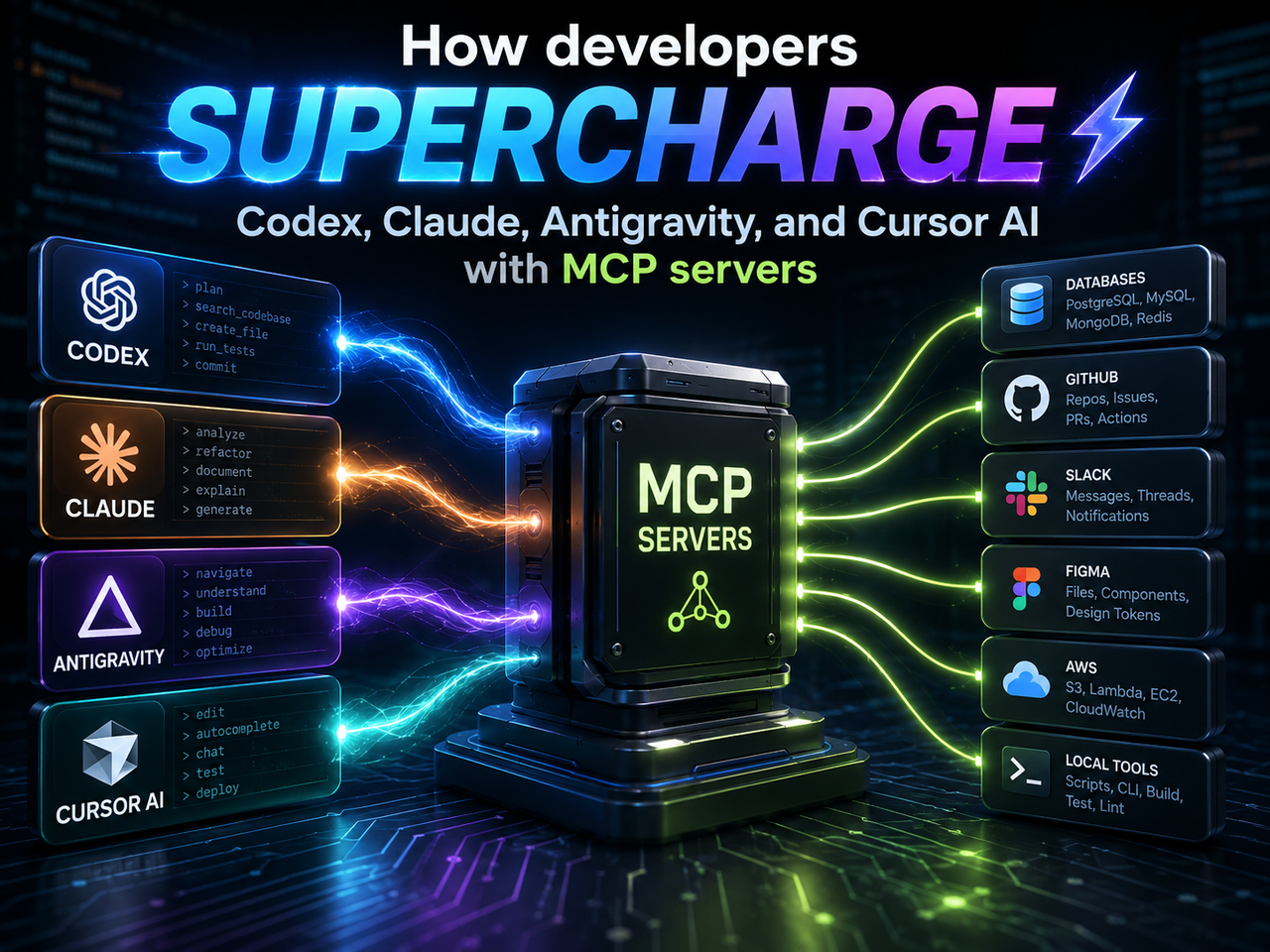
How developers supercharge Codex, Claude, Antigravity, and Cursor AI with MCP servers
Coding agents become far more useful the moment they stop guessing from memory and start working from live project context. A bare model can explain code, draft a function, or suggest a fix. Connect MCP servers and the same agent can read the GitHub issue, inspect a Sentry event, pull current framework docs, open the failing page in Chrome, query a staging schema, and come back with a patch that fits the actual project.
That is the real shift. Codex, Claude, Google Antigravity, and Cursor AI are no longer judged only by model quality. They are judged by the bench around the model: the servers it can call, the permissions it respects, the logs it can inspect, and the sources it can cite before editing code.
Model Context Protocol, or MCP, gives those agents a shared way to connect with external systems. The official MCP docs describe it as an open standard that lets AI applications connect to files, databases, tools, prompts, and workflows. Instead of every app needing a custom connector for every service, one MCP server can expose the same source to multiple clients.
For developers, that matters more than another clever autocomplete trick. Real work is scattered. The bug report lives in Linear. The design lives in Figma. The crash lives in Sentry. The schema lives in Supabase or Neon. The release log lives in Vercel. The test flow lives in a browser. MCP gives the agent a route into those places.
What MCP changes for coding agents
MCP servers expose three broad things: resources, tools, and prompts. The official server guide describes resources as readable context, tools as callable actions, and prompts as reusable instruction patterns. In plain terms, a server can let an agent read a file, search a ticket system, run a database query, open browser state, or follow a stored workflow.
That changes the agent from a chat box into a project participant. Not a replacement developer. A participant. It still needs review, limits, and judgement from the person at the keyboard. Yet it can gather the context that used to be pasted into chat by hand.
The old workflow looked like this: copy the issue, paste the stack trace, add a schema sample, describe the failing page, attach a screenshot, then hope the model keeps it straight. The MCP workflow is cleaner: ask the agent to read the issue, inspect the error, check the docs, verify the page, then propose the smallest patch. Less theater. Better signal.
The protocol does not make weak prompts vanish. It gives good prompts more reach. “Fix checkout” stays vague. “Use GitHub issue 482, Sentry staging errors, Stripe test mode, and Playwright verification” gives the agent a map.
Codex works best when its project bench is small
Codex sits close to the codebase, terminal, patch, and review loop. That makes it a strong fit for MCP, especially when the connected servers are tightly tied to one repository. OpenAI's Codex MCP documentation explains how Codex can connect to MCP servers through shared configuration across the CLI and IDE extension. OpenAI's Docs MCP server gives read-only access to current OpenAI developer documentation through https://developers.openai.com/mcp.
That combination is useful when a project touches APIs that move fast. A Codex session working on Responses API tools, structured output, Agents SDK code, or Codex automation should not rely on stale examples. It should ask the docs server, then edit.
Codex benefits most from a compact starter set. GitHub's official MCP server can expose issues, pull requests, repository search, workflow runs, and related repository state. Playwright MCP lets Codex inspect and test web flows through structured page snapshots. Chrome DevTools MCP adds console output, network requests, screenshots, performance traces, and page state from Chrome. Sentry's MCP service connects the error trail to the code that likely caused it.
That set gives Codex a practical loop: read issue, inspect code, check docs, patch, run tests, open browser, confirm behavior, write review notes. The loop works when server access is narrow. A repo-level config should list only the servers the project needs. One docs server, GitHub, browser testing, and one error-tracking server beat a giant menu of tools the agent may misuse.
Codex should not have broad production access by default. Give it staging logs. Give it a test browser. Give it read-only service context first. Raise permissions only for a named task.
Claude gains memory, context, and longer task rhythm
Claude Code has a deep MCP story. Anthropic's Claude Code MCP docs describe MCP connections for external tools and data sources, with examples that include issue trackers, Sentry, Statsig, PostgreSQL, Figma, and Slack. That list mirrors how developers actually lose time: hunting for the ticket, the error record, the flag state, the schema, the design decision, and the discussion thread.
Claude's advantage is task rhythm. It can hold a long editing session, explain what changed, run tests, then revise the patch. MCP extends that rhythm outside the local folder. A GitHub server can bring in PR comments. A PostgreSQL or Supabase server can expose the staging schema. Figma can provide design structure. Slack can find the thread where the product decision happened.
Memory servers need a careful hand. A local memory server can store project habits: TypeScript over JavaScript, pnpm over npm, folder naming rules, commit style, or the test command that matters. That can save time. It can hurt when the memory goes stale. Keep memory boring, inspectable, and project-specific. Never store secrets. Delete old assumptions.
Claude's tool search support helps larger MCP setups stay usable. Instead of loading every tool definition into the working context at once, a client can load names first, then bring in details when a tool becomes relevant. That matters. A server list with ten useful names can help the agent. A noisy list with sixty vague tools can drag the task sideways.
Claude works best when the user gives it source order. “Read the Linear issue first. Use Figma only for the linked frame. Check Sentry after reproducing the bug. Do not edit migrations.” That kind of prompt sounds strict. Good. Strict prompts protect time.
Antigravity treats MCP like agent workspace wiring
Google Antigravity is built around agents that can plan, act, and report inside a workspace. Google's Antigravity MCP documentation shows custom server settings in ~/.gemini/antigravity/mcp_config.json, with an mcpServers object, local command transports, remote serverUrl entries, headers, OAuth, Google credentials, disabled tools, and server toggles.
That config style suits multi-agent work. One agent can inspect a failing branch. Another can search framework docs. A third can audit the browser flow. MCP turns each worker into something more grounded than a blank chat session.
The server list shown in Antigravity's docs points in the same direction: Chrome DevTools, Firebase, GitHub, Linear, Neon, Netlify, Notion, Perplexity Ask, Postman, Redis, Stripe, Supabase, and Figma Dev Mode MCP. Those are not decorative integrations. They are where development work waits.
Antigravity's permission model deserves attention. Its permissions documentation treats MCP actions as grantable permissions such as mcp(server/tool) and mcp(server/*). That is the right mental model. Read actions, browser clicks, SQL queries, and service writes should not share one trust level.
A clean Antigravity profile should match the project type. A web app profile might include Chrome DevTools, GitHub, Figma, Vercel, and Supabase. A backend profile might include Sentry, Neon, Stripe test mode, and Cloudflare. A docs profile might include Notion, Slack, GitHub, and search. The split keeps each agent focused.
Cursor AI needs MCP that beats the code index
Cursor already knows a lot about the open workspace. It indexes files, follows active edits, and gives agents close contact with the code. MCP earns its place in Cursor only when it brings context the index cannot know.
That makes Context7 one of the strongest Cursor additions. It fetches current, version-specific library docs and code examples when prompted. A Cursor agent fixing a React Server Components issue, a new Next.js routing pattern, or a TanStack change should not guess from old training traces. It should read current docs at the moment of the edit.
The Cursor MCP documentation points developers toward connecting external tools and sources through MCP. The best Cursor setups keep this small: Context7 for library docs, GitHub for issues and PRs, Figma for design frames, Playwright for UI checks, and one database server for schema-aware work.
Figma is the standout design connection. The official Figma MCP server docs describe a remote server that brings design information and context to agents generating code from Figma files. Figma says the server can expose variables, components, layout data, and selected frame context. That beats asking an agent to infer spacing and tokens from a screenshot.
Cursor users should write project rules that tell the agent when to call each server. Use Context7 for package docs. Use GitHub for issue source. Use Figma only when the task includes a file or frame. Use Playwright after UI edits. Tool discipline matters more in an editor that moves fast.
Top 7 MCP servers to implement first
- Context7 MCP keeps library docs fresh. Use it when a task touches Next.js, React, Supabase, Cloudflare, Stripe, or any package that changes faster than model training data. Implementation is short: run npx ctx7 setup, choose MCP mode, then add a rule such as “use Context7 for library and API docs.” For manual setup, use https://mcp.context7.com/mcp and pass CONTEXT7_API_KEY as a header. Test it with a prompt like: “Show the current Next.js middleware pattern. use context7.”
- GitHub MCP server gives the agent repository, issue, pull request, code search, and workflow context. Use the hosted server at https://api.githubcopilot.com/mcp/ when your client supports remote MCP. For local setup, run the Docker image ghcr.io/github/github-mcp-server and pass GITHUB_PERSONAL_ACCESS_TOKEN through the environment. Start with read scopes, then add write scopes only for issue or PR actions that need them. Test with: “Read issue 482, find related PRs, and list files likely involved.”
- Playwright MCP gives agents browser flow testing. Add it with the standard config: “command”: “npx”, “args”: [“@playwright/mcp@latest”]. Claude Code users can run claude mcp add playwright npx @playwright/mcp@latest. Cursor users can add a command-type server with npx @playwright/mcp@latest. Test it by asking the agent to open a local route, fill a form, click submit, and report what the page shows.
- Chrome DevTools for agents is the debugging server. It exposes console messages, network requests, screenshots, traces, and live Chrome state. Codex users can run codex mcp add chrome-devtools — npx chrome-devtools-mcp@latest. Other clients can add “command”: “npx”, “args”: [“-y”, “chrome-devtools-mcp@latest”]. Use –headless for background runs or –browser-url=http://127.0.0.1:9222 when connecting to a manually started browser. Test it with: “Check the performance of https://developers.chrome.com.”
- Figma MCP server brings design context into code work. The remote endpoint is https://mcp.figma.com/mcp. Codex users can run codex mcp add figma –url https://mcp.figma.com/mcp. Claude Code users can run claude mcp add –transport http figma https://mcp.figma.com/mcp, then authenticate through /mcp. Use it with a frame link and a narrow ask: “Map this frame to existing components, edit only the settings page, then verify with Playwright.”
- Supabase MCP connects agents to project schema, SQL tools, logs, migrations, branches, and TypeScript type generation. The server URL is https://mcp.supabase.com/mcp. For Claude Code, use claude mcp add –scope project –transport http supabase “https://mcp.supabase.com/mcp”, then authenticate through /mcp. For safer access, scope to a project and use read_only=true, for example https://mcp.supabase.com/mcp?project_ref=abc123&read_only=true. Test with: “List tables and generate TypeScript types for the current project.”
- Sentry MCP turns production errors into agent-readable debugging context. The hosted service starts at https://mcp.sentry.dev. Claude Code users can install the plugin with claude plugin marketplace add getsentry/sentry-mcp and claude plugin install sentry-mcp@sentry-mcp. For stdio mode, run npx @sentry/mcp-server@latest –access-token=TOKEN and pass SENTRY_ACCESS_TOKEN through the environment. Test it with: “Find the latest checkout error in staging, summarize the stack, and point to likely files.”
These seven cover the daily developer loop: docs, repo context, browser testing, browser debugging, design context, database context, and error context. Add search servers such as Brave Search or Firecrawl later, after the core stack works.
Use the same rollout pattern for all seven. Keep one project-local MCP config per repo. Name each server by task, not vendor alone: github-read, supabase-staging-read, playwright-local, figma-design-read. Put the install command, token scope, allowed actions, and owner in server-notes.md. After adding a server, run one harmless read prompt. Then run one verification prompt that asks the agent to name the source it used. This proves the connection before any write-capable task begins.
Mistakes that make MCP worse
The first mistake is server hoarding. A developer installs every interesting server, restarts the client, and expects better work. The agent now sees a crowded tool shelf, many vague names, and too many possible routes. More tools can mean worse choices. Start with four or five servers that match the project, then add one only after a task proves the need.
The second mistake is mixing read and write permissions too soon. Reading docs, issues, logs, and schemas is low drama. Writing to tickets, posting in Slack, applying migrations, changing billing objects, or touching production services needs a higher bar. Separate those actions. Ask before writes. Keep destructive tools disabled until the task has a clear owner and a clear rollback path.
The third mistake is treating MCP output as truth. A server can return stale docs, a noisy Slack thread, a partial schema, or a misleading log. Make the agent cite what it used. Make it name the source. Make it say which conclusion came from code, which came from a tool, and which came from inference. Good agents can separate evidence from guesswork when the prompt demands it.
Security must come before server collecting
An MCP server is not a harmless plug-in. It is code plus credentials plus permission to act. The more useful a server is, the more carefully it should be scoped.
Use official servers when they exist. GitHub, Stripe, Supabase, Neon, Sentry, Linear, Atlassian, Slack, Vercel, Figma, Docker, and Cloudflare publish first-party docs or repos for their MCP paths. Community servers can be useful, but read the code, check the maintainer, pin versions, and test in a throwaway workspace before trusting them.
Use read-only modes first. Split staging from production. Give database servers branches or sandboxes. Give browser servers isolated profiles. Give Slack and Notion narrow scopes. Put secrets in the client's secret store or environment layer, not pasted JSON. Disable destructive tools until a task needs them.
Some teams keep a server-notes.md file beside each MCP config. It lists why each server exists, what it may read, which actions need approval, and who owns token renewal. That small file saves future confusion. It helps people and agents know why Playwright is present, why Stripe runs in test mode, and why production database writes stay blocked.
Docker's MCP Catalog and Toolkit is worth watching for this reason. Docker packages MCP servers as container images, groups them into profiles, routes clients through a gateway, and describes verified servers with provenance and updates. Teams need that kind of controlled catalog as MCP stacks grow.
Prompt patterns that get better MCP work
MCP agents respond well to routing instructions. Tell the agent which source owns the truth. Tell it which servers to call. Tell it where writes are forbidden. Tell it how to verify the result.
Weak prompt: “Fix the dashboard bug.”
Stronger prompt: “Use Linear issue ENG-482 for scope, GitHub for related PRs, Sentry for the latest staging error, Context7 for chart library docs, and Playwright to verify the dashboard after the patch. Do not run write SQL.”
That prompt removes ambiguity. It names sources, sets limits, and defines the check. It keeps the agent from wandering into unrelated files.
Ask for checkpoints on risky work. A good agent can report: “I found the issue, the stack trace, and the likely file. I plan to edit these two files.” Then you approve. Long silent runs feel impressive until they touch billing, migrations, and styling in one pass.
Tool names matter too. read_issue beats getData. query_staging_schema beats run_query. Clear names guide the model toward the right action. If a server exposes vague tools, disable the weak ones or wrap them with smaller, safer tools.
A practical MCP stack for each tool
For Codex, start with GitHub, OpenAI Docs MCP, Playwright, Chrome DevTools, and Sentry. Add Vercel, Supabase, or Neon only when the repo needs those systems. Keep the project config lean.
For Claude, start with GitHub, Context7, Playwright, a memory server, and one project-management server such as Linear or Atlassian. Add Slack or Notion when product context lives there. Keep memory small and visible.
For Antigravity, make separate profiles. A web profile can use Chrome DevTools, GitHub, Figma, Vercel, and Supabase. A backend profile can use Sentry, Neon, Stripe test mode, and Cloudflare. A research profile can use docs, search, and Firecrawl. Keep each profile tied to a job.
For Cursor, start with Context7, GitHub, Figma, Playwright, and one database server. Cursor already has strong file context, so each MCP server should bring something outside the repo.
No tool needs every server. The best stack is the one the agent can choose from cleanly. Small lists win. Clear scopes win. Read-only defaults win.
The agent advantage is the bench, not the model alone
The model race still matters, but developers feel the biggest jump when the agent works from the same facts they use. Codex with GitHub, docs, Sentry, and browser checks is different from Codex with only open files. Claude with Figma, Slack, Linear, and database context can carry a longer task. Antigravity with scoped MCP profiles becomes a true agent workspace. Cursor with Context7, Figma, and GitHub becomes sharper inside active edits.
MCP servers do not remove the developer. They remove the wasted handoff. No more pasting the ticket, schema, stack trace, design note, and doc link into one swollen prompt. The agent fetches the context, checks the system, edits the code, and reports what changed. You judge the plan. You review the patch. You keep the keys.
The winning setup will not be the biggest server list. It will be the clean one: current docs, trusted repos, scoped services, visible logs, browser checks, and permission gates that match risk. Build that bench per project and the agent stops sounding clever. It starts shipping useful work.
More Posts:
- Still Using a Cash Register in Your Shop Instead Of A POS System? Here Is What You Are Missing Out On
- This open-source AI video model creates 4-minute videos directly on your PC
- Claude’s New Infinite Context Window Could Change How You Work Forever
- American AI Startup Poolside Releases Laguna XS.2, a Free High-Performance Open Model for Local Agentic Coding
- How to Rank in AI Search Engines: The Ultimate Practical Guide