Building Production-Grade AgentScope Workflows Using ReAct Agents and Custom Tools
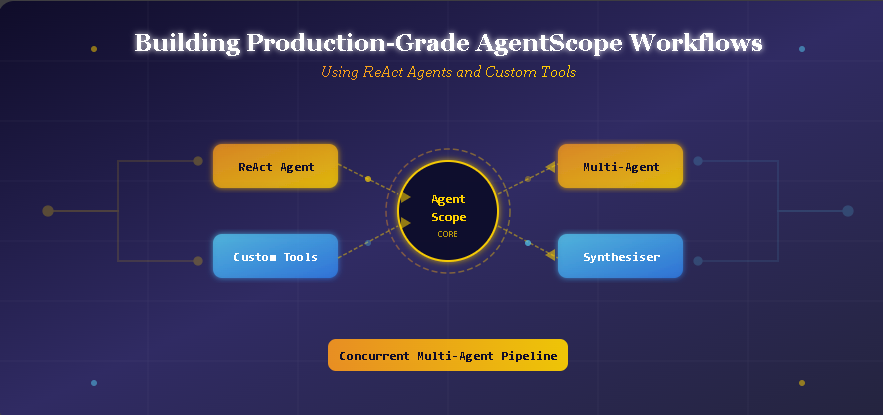
Building Production-Grade AgentScope Workflows Using ReAct Agents and Custom Tools
If you have been following the AI space lately, you have probably noticed that single-prompt setups are quickly becoming too limited for complex tasks. A single AI call can answer a question, sure. But what if you want an AI system that can reason through a problem, pull in live data from custom tools, argue with another AI agent, return clean structured output, and do all of this across multiple agents running at the same time?
That is exactly what AgentScope makes possible.
This guide walks through how to build a complete, production-ready workflow using AgentScope from scratch. We cover six key parts: basic model calls, custom tools, a ReAct reasoning agent, multi-agent debate, structured output with Pydantic, and a concurrent multi-agent pipeline. By the end, you will have a solid mental model of how these pieces fit together and how you can use them to build real AI systems.
What Is AgentScope and Why Should You Care
AgentScope is a Python framework built for multi-agent AI applications. Think of it like a toolkit that gives you clean, modular building blocks for creating agents that can:
- Call AI models (like GPT-4o) through a consistent API
- Use custom tools that you define yourself
- Communicate with other agents in structured ways
- Maintain memory across a conversation
- Return predictable, typed output using Pydantic schemas
What makes it different from just calling the OpenAI API directly is the orchestration layer. When you build a real system, you need agents that cooperate, tools that are safely callable, memory that persists across turns, and outputs that downstream code can actually parse. AgentScope handles all of that without making you reinvent the wheel every time.
Why Production-Grade Matters
There is a big difference between a demo that works in a notebook and a system you can actually rely on. Production-grade means:
- Your agents handle edge cases gracefully
- Tools execute with controlled environments (no wild
eval()exploits) - Multiple agents can run in parallel without blocking each other
- Outputs follow a predictable structure that other parts of your system can consume
This tutorial is built with those things in mind.
Setting Up the Environment
Before writing any agents, you need to get the environment ready. The setup is straightforward and runs well in Google Colab.
Installing Dependencies
import subprocess, sys

subprocess.check_call([
    sys.executable, "-m", "pip", "install", "-q",
    "agentscope", "openai", "pydantic", "nest_asyncio",
])
print("All packages installed.\n")
The four packages here each serve a purpose. agentscope is the core framework. openai gives access to GPT models. pydantic handles structured output validation. nest_asyncio patches the event loop so async code runs inside Colab notebooks without throwing errors.
Configuring the Model
import nest_asyncio
nest_asyncio.apply()

import asyncio, json, getpass, math, datetime
from typing import Any
from pydantic import BaseModel, Field
from agentscope.agent import ReActAgent
from agentscope.formatter import OpenAIChatFormatter, OpenAIMultiAgentFormatter
from agentscope.memory import InMemoryMemory
from agentscope.message import Msg, TextBlock, ToolUseBlock
from agentscope.model import OpenAIChatModel
from agentscope.pipeline import MsgHub, sequential_pipeline
from agentscope.tool import Toolkit, ToolResponse

OPENAI_API_KEY = getpass.getpass("Enter your OpenAI API key: ")
MODEL_NAME = "gpt-4o-mini"

def make_model(stream: bool = False) -> OpenAIChatModel:
    return OpenAIChatModel(
        model_name=MODEL_NAME,
        api_key=OPENAI_API_KEY,
        stream=stream,
        generate_kwargs={"temperature": 0.7, "max_tokens": 1024},
    )
The make_model helper function is something you will call throughout the tutorial. It wraps the OpenAI model configuration in a reusable function, so you are not duplicating the same setup in every agent you create. The stream parameter lets you toggle streaming on or off depending on whether you need real-time output.
Part 1: Your First Model Call
Before building complex agents, it helps to understand how AgentScope handles the basics. A simple model call shows you the message structure and response format that everything else builds on.
Making a Basic Call
async def part1_basic_model_call():
    model = make_model()
    response = await model(
        messages=[{"role": "user", "content": "What is AgentScope in one sentence?"}],
    )
    text = response.content[0]["text"]
    print(f"\nModel says: {text}")
    print(f"Tokens used: {response.usage}")

asyncio.run(part1_basic_model_call())
The response object here is worth paying attention to. response.content is a list, and the actual text sits at content[0]["text"]. AgentScope also tracks token usage automatically, which matters when you start running many agents and want to keep an eye on API consumption.
This first call is mostly a sanity check, but it teaches you the pattern: await the model, get back a response object, pull the text from the content array. That pattern repeats throughout everything that follows.
Part 2: Custom Tool Functions and the Toolkit
Here is where things get genuinely useful. Tools are what let your agents interact with the real world instead of just generating text. You define Python functions, register them in a Toolkit, and AgentScope automatically generates JSON schemas that the AI model can use to call those functions intelligently.
Defining Tools
async def calculate_expression(expression: str) -> ToolResponse:
    allowed = {
        "abs": abs, "round": round, "min": min, "max": max,
        "sum": sum, "pow": pow, "int": int, "float": float,
        "sqrt": math.sqrt, "pi": math.pi, "e": math.e,
        "log": math.log, "sin": math.sin, "cos": math.cos,
        "tan": math.tan, "factorial": math.factorial,
    }
    try:
        result = eval(expression, {"__builtins__": {}}, allowed)
        return ToolResponse(content=[TextBlock(type="text", text=str(result))])
    except Exception as exc:
        return ToolResponse(content=[TextBlock(type="text", text=f"Error: {exc}")])

async def get_current_datetime(timezone_offset: int = 0) -> ToolResponse:
    now = datetime.datetime.now(
        datetime.timezone(datetime.timedelta(hours=timezone_offset))
    )
    return ToolResponse(content=[TextBlock(type="text", text=now.strftime("%Y-%m-%d %H:%M:%S %Z"))])
Notice the calculate_expression function uses a controlled eval(). This is a deliberate safety pattern. By passing an empty __builtins__ dict and only allowing an explicit whitelist of math functions, you prevent any arbitrary code from running. The function still handles the full range of math operations an agent might need, but nothing dangerous can slip through.
Registering Tools and Inspecting Schemas
toolkit = Toolkit()
toolkit.register_tool_function(calculate_expression)
toolkit.register_tool_function(get_current_datetime)

schemas = toolkit.get_json_schemas()
print("\nAuto-generated tool schemas:")
print(json.dumps(schemas, indent=2))
The auto-generated schemas are one of the neatest features in AgentScope. Instead of manually writing JSON schema definitions for every tool (which is tedious and error-prone), AgentScope reads the Python function signatures and docstrings to build the schemas for you. The model uses these schemas to know what arguments each tool accepts.
Testing a Direct Tool Call
async def part2_test_tool():
    result_gen = await toolkit.call_tool_function(
        ToolUseBlock(
            type="tool_use",
            id="test-1",
            name="calculate_expression",
            input={"expression": "factorial(10)"},
        ),
    )
    async for resp in result_gen:
        print(f"\nTool result for factorial(10): {resp.content[0]['text']}")

asyncio.run(part2_test_tool())
Testing the tool directly before wiring it into an agent lets you confirm the execution pipeline works correctly. If something is broken, you want to know at this stage rather than after you have built three layers of agent logic on top of it.
Part 3: The ReAct Agent in Action
ReAct stands for Reasoning and Acting. It is a framework where the agent alternates between thinking about the problem and taking action (like calling a tool). The loop keeps going until the agent has enough information to produce a final answer.
Building a ReAct Agent
async def part3_react_agent():
    agent = ReActAgent(
        name="MathBot",
        sys_prompt=(
            "You are MathBot, a helpful assistant that solves math problems. "
            "Use the calculate_expression tool for any computation. "
            "Use get_current_datetime when asked about the time."
        ),
        model=make_model(),
        memory=InMemoryMemory(),
        formatter=OpenAIChatFormatter(),
        toolkit=toolkit,
        max_iters=5,
    )

    queries = ["What's the current time in UTC+5?"]

    for q in queries:
        print(f"\nUser: {q}")
        msg = Msg("user", q, "user")
        response = await agent(msg)
        print(f"MathBot: {response.get_text_content()}")
        agent.memory.clear()

asyncio.run(part3_react_agent())
The max_iters=5 parameter sets an upper bound on how many reasoning-action cycles the agent can take before it is forced to return an answer. This prevents infinite loops. The InMemoryMemory module stores the conversation history, so the agent can refer back to earlier messages within the same interaction.
After each query, calling agent.memory.clear() resets the agent's memory so the next query starts fresh. This is useful when you are running multiple independent questions and you do not want earlier context bleeding into later responses.
What the Reasoning Loop Looks Like
When you send MathBot a question like “What's the current time in UTC+5?”, the agent does not just answer immediately. Internally, it reasons: “I need the current time. I have a tool for that. The user wants UTC+5, which is timezone_offset=5. Let me call the tool.” Then it calls get_current_datetime(timezone_offset=5), gets back a timestamp, and formats a final response.
That reasoning-then-acting cycle is what separates a ReAct agent from a plain model call.
Part 4: Multi-Agent Debate with MsgHub
Single agents are powerful. But some problems genuinely benefit from multiple agents with different perspectives arguing against each other. AgentScope makes this possible through MsgHub, a communication channel that lets agents share messages in a structured way.
Setting Up the Debate
DEBATE_TOPIC = (
    "Should artificial general intelligence (AGI) research be open-sourced, "
    "or should it remain behind closed doors at major labs?"
)

async def part4_debate():
    proponent = ReActAgent(
        name="Proponent",
        sys_prompt=(
            f"You are the Proponent in a debate. You argue IN FAVOR of open-sourcing AGI research. "
            f"Topic: {DEBATE_TOPIC}\n"
            "Keep each response to 2-3 concise paragraphs. Address the other side's points directly."
        ),
        model=make_model(),
        memory=InMemoryMemory(),
        formatter=OpenAIMultiAgentFormatter(),
    )

    opponent = ReActAgent(
        name="Opponent",
        sys_prompt=(
            f"You are the Opponent in a debate. You argue AGAINST open-sourcing AGI research. "
            f"Topic: {DEBATE_TOPIC}\n"
            "Keep each response to 2-3 concise paragraphs. Address the other side's points directly."
        ),
        model=make_model(),
        memory=InMemoryMemory(),
        formatter=OpenAIMultiAgentFormatter(),
    )

    num_rounds = 2
    for rnd in range(1, num_rounds + 1):
        print(f"\n{'─' * 60}")
        print(f"  ROUND {rnd}")
        print(f"{'─' * 60}")
        async with MsgHub(
            participants=[proponent, opponent],
            announcement=Msg("Moderator", f"Round {rnd} — begin. Topic: {DEBATE_TOPIC}", "assistant"),
        ):
            pro_msg = await proponent(Msg("Moderator", "Proponent, please present your argument.", "user"))
            print(f"\nProponent:\n{pro_msg.get_text_content()}")

            opp_msg = await opponent(Msg("Moderator", "Opponent, please respond and present your counter-argument.", "user"))
            print(f"\nOpponent:\n{opp_msg.get_text_content()}")

asyncio.run(part4_debate())
The OpenAIMultiAgentFormatter is important here. Unlike the standard OpenAIChatFormatter, it is designed for scenarios where multiple agents need to exchange messages. It formats the conversation history in a way that helps each agent understand who said what, so they can respond to each other coherently rather than ignoring the other side.
MsgHub acts as a shared message board. When the proponent sends a message, the opponent can see it, and vice versa. This is what creates the back-and-forth dynamic instead of two agents just talking into the void.
Part 5: Getting Structured Output with Pydantic
One of the biggest headaches in production AI systems is parsing the model's response. Free-form text is great for humans but terrible for code that needs to extract specific fields. AgentScope solves this by letting you pass a Pydantic model as a schema, and the agent will return output that maps directly to that schema.
Defining the Schema
class MovieReview(BaseModel):
    year: int = Field(description="The release year.")
    genre: str = Field(description="Primary genre of the movie.")
    rating: float = Field(description="Rating from 0.0 to 10.0.")
    pros: list[str] = Field(description="List of 2-3 strengths of the movie.")
    cons: list[str] = Field(description="List of 1-2 weaknesses of the movie.")
    verdict: str = Field(description="A one-sentence final verdict.")
Using the Schema in an Agent Call
async def part5_structured_output():
    agent = ReActAgent(
        name="Critic",
        sys_prompt="You are a professional movie critic. When asked to review a movie, provide a thorough analysis.",
        model=make_model(),
        memory=InMemoryMemory(),
        formatter=OpenAIChatFormatter(),
    )

    msg = Msg("user", "Review the movie 'Inception' (2010) by Christopher Nolan.", "user")
    response = await agent(msg, structured_model=MovieReview)

    print("\nStructured Movie Review:")
    print(f"    Year    : {response.metadata.get('year', 'N/A')}")
    print(f"    Genre   : {response.metadata.get('genre', 'N/A')}")
    print(f"    Rating  : {response.metadata.get('rating', 'N/A')}/10")
    pros = response.metadata.get('pros', [])
    cons = response.metadata.get('cons', [])
    if pros:
        print(f"    Pros    : {', '.join(str(p) for p in pros)}")
    if cons:
        print(f"    Cons    : {', '.join(str(c) for c in cons)}")
    print(f"    Verdict : {response.metadata.get('verdict', 'N/A')}")
    print(f"\nFull text response:\n{response.get_text_content()}")

asyncio.run(part5_structured_output())
Passing structured_model=MovieReview to the agent call tells AgentScope to enforce the Pydantic schema on the response. The structured fields come back in response.metadata, while the full text response is still available via response.get_text_content().
This is extremely useful in real applications. If you are building a system that needs to store movie reviews in a database, you can now pull response.metadata['rating'] directly and know it will always be a float between 0.0 and 10.0. No parsing, no regex, no hoping the model decided to format things consistently this time.
Part 6: Concurrent Multi-Agent Pipelines
This is where AgentScope starts to feel genuinely powerful. Instead of running agents one after another, you can run them in parallel using asyncio.gather. Multiple specialists analyze a topic at the same time, and then a synthesiser agent combines their insights into a single coherent summary.
Setting Up Specialist Agents
async def part6_concurrent_agents():
    specialists = {
        "Economist": "You are an economist. Analyze the given topic from an economic perspective in 2-3 sentences.",
        "Ethicist": "You are an ethicist. Analyze the given topic from an ethical perspective in 2-3 sentences.",
        "Technologist": "You are a technologist. Analyze the given topic from a technology perspective in 2-3 sentences.",
    }

    agents = []
    for name, prompt in specialists.items():
        agents.append(
            ReActAgent(
                name=name,
                sys_prompt=prompt,
                model=make_model(),
                memory=InMemoryMemory(),
                formatter=OpenAIChatFormatter(),
            )
        )

    topic_msg = Msg(
        "user",
        "Analyze the impact of large language models on the global workforce.",
        "user",
    )

    print("\nRunning 3 specialist agents concurrently...")
    results = await asyncio.gather(*(agent(topic_msg) for agent in agents))

    for agent, result in zip(agents, results):
        print(f"\n{agent.name}:\n{result.get_text_content()}")
The asyncio.gather call is doing the heavy lifting here. Instead of waiting for the Economist to finish before asking the Ethicist, all three agents start at the same time. In a real system, this can dramatically cut down response time, especially if each agent call takes a few seconds.
Synthesising the Results
    synthesiser = ReActAgent(
        name="Synthesiser",
        sys_prompt=(
            "You are a synthesiser. You receive analyses from an Economist, "
            "an Ethicist, and a Technologist. Combine their perspectives into "
            "a single coherent summary of 3-4 sentences."
        ),
        model=make_model(),
        memory=InMemoryMemory(),
        formatter=OpenAIMultiAgentFormatter(),
    )

    combined_text = "\n\n".join(
        f"[{agent.name}]: {r.get_text_content()}"
        for agent, r in zip(agents, results)
    )

    synthesis = await synthesiser(
        Msg(
            "user",
            f"Here are the specialist analyses:\n\n{combined_text}\n\nPlease synthesise.",
            "user",
        ),
    )

    print(f"\nSynthesised Summary:\n{synthesis.get_text_content()}")

asyncio.run(part6_concurrent_agents())
The synthesiser receives all three specialist outputs bundled into a single message. It then produces a unified view that integrates the economic, ethical, and technological angles. This pattern, where specialists run in parallel and a synthesiser combines their outputs, is one of the most practical architectures for complex reasoning tasks.
How All Six Parts Connect
Looking at the full picture, these six components build on each other:
- Model calls are the foundation. Everything else depends on being able to call a model reliably.
- Custom tools give agents real capabilities beyond generating text.
- ReAct agents chain reasoning and tool use together in a loop.
- MsgHub lets multiple agents communicate with shared context.
- Pydantic schemas turn unstructured text into structured data your code can use.
- Concurrent pipelines let you scale by running agents in parallel.
Each layer adds something the previous one was missing. You would not want to skip any of them in a real application.
What Makes This Approach Solid for Real Projects
The patterns in this workflow are not just for tutorials. They directly apply to things you might actually want to build.
Imagine you are building a research tool. One agent searches for information, another agent critiques the sources, and a third synthesises a final answer. That is basically Part 6, just with different specialist roles.
Or imagine a code review system. One agent checks for security issues, another for performance, another for readability. They all run at the same time, and a final agent produces a prioritised review with a Pydantic schema ensuring you always get a structured list of issues.
The structured output part matters more than it might seem at first. When your agents return typed, validated data instead of free-form text, the rest of your application becomes much more predictable. You can store results in databases, display them in UIs, or pass them to other functions without writing brittle parsing code.
Final Thoughts
AgentScope sits in a sweet spot between being too low-level (calling the API directly and managing everything yourself) and too opinionated (frameworks that lock you into specific patterns you cannot change). It gives you the building blocks and gets out of your way.
The six-part workflow in this article covers the concepts that matter most for real applications: working model calls, safe custom tools, reasoning agents, multi-agent communication, structured output, and parallel execution. Taken together, they give you enough to start designing systems that actually hold up under real conditions.
The interesting part is that none of these ideas are specific to any particular use case. Whether you are building research tools, data analysis pipelines, content generation systems, or something entirely different, these same patterns apply. The domain changes, but the architecture stays recognisable.
Start with Part 1, get comfortable with how AgentScope handles model calls, and then layer in the other pieces as you need them. There is no need to use all six parts in every project. Use what fits, and leave the rest for when the problem gets complex enough to need it.
More Posts:
- Is Google Gemma 4 the Most Powerful Open-Source AI?
- How to Create a Full Model Optimization Pipeline with NVIDIA Model Optimizer and FastNAS Pruning Plus Fine-Tuning
- InstantlyClaw Review: The 1-Click Hosted OpenClaw, Fully Loaded, and Secured (Deploy a Full AI Agent Team in 60 Seconds and Start Charging Clients $500-$2,000/Month)
- Building Production-Grade Agentic Systems with Z.AI GLM-5: A Complete Developer Guide
- The Ultimate List of Free AI APIs in 2026, No Credit Card Needed