Chromatic Codex Edition Turns Prompts Into Games
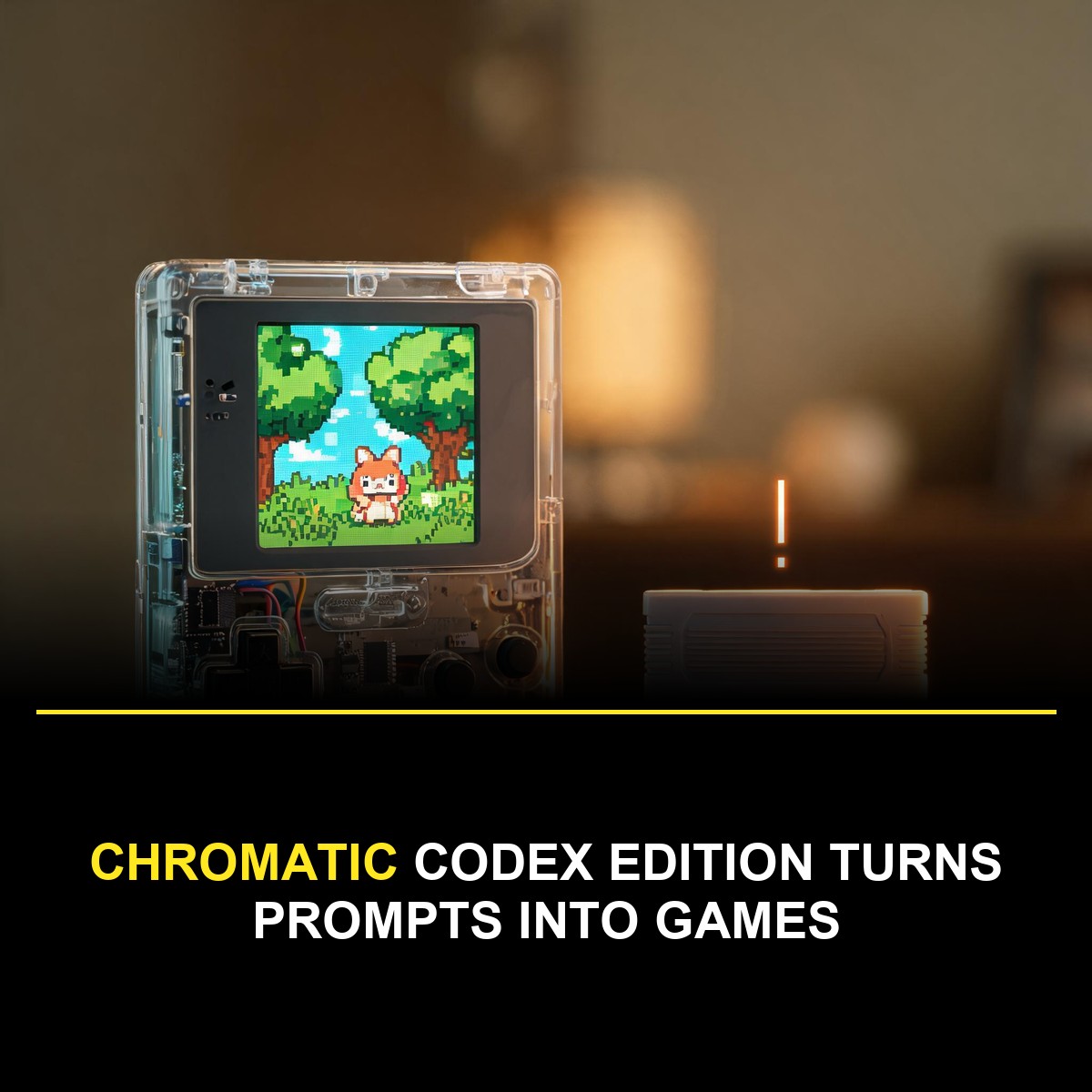
The ModRetro Chromatic: Codex Edition is a handheld games console whose entire purpose is to turn a text prompt into a playable Game Boy Color cartridge. Announced as a DevDay exclusive and now back as an OpenAI Supply Co. drop at 200 dollars, the Chromatic Codex Edition pairs the ModRetro Chromatic hardware with a Codex plugin that builds, tests and deploys real Game Boy Color games.
The pitch is simple enough to state in one line: describe a game, let Codex build it in GB Studio, playtest it in a built-in emulator, then write the ROM to the included Codex Cartridge and play it on the handheld. The Chromatic Codex Edition is the first consumer product to make that loop official, and it arrives with three example games, Seedy's Sweet Garden, Hollow Descent and Codex Dance, built entirely this way. Each one is evidence that the Chromatic Codex Edition pipeline handles finished products rather than tech demos.
For anyone who grew up with a Game Boy and never learned to program, this is the most accessible entry into real hardware development that has ever shipped. The full walkthrough on the OpenAI developer blog documents every step.
Installing the plugin, step by step
Setup runs through the Codex desktop app and takes about three minutes.
Open Plugins in the Codex desktop app and search for ModRetro Chromatic. Select the ModRetro Chromatic Plugin by ModRetro, then click Install. Open a local project folder and start a chat, type the at symbol and choose the plugin so Codex knows which tools to use. Then ask Codex to set up the plugin and check for missing build tools, and you can build and play your first game on the computer before any hardware is involved.
That last step is worth emphasising, because the plugin checks the toolchain for you. Game Boy development has always had a setup tax: compilers, emulators, ROM headers and build scripts. A plugin that detects what is missing and offers to install it removes the single biggest drop-off point for newcomers, and it is the difference between a demo and a product.
What the Chromatic Codex Edition actually is
The hardware underneath the branding is the ModRetro Chromatic, a modern FPGA-based handheld that plays original Game Boy and Game Boy Color cartridges, built by the company founded to make premium retro hardware.
The specifications of the Chromatic Codex Edition are honest about what a Game Boy Color game needs. The display is a 160 by 144 pixel 2.56-inch IPS backlit LCD with scratch-resistant gorilla glass. Power comes from three AA batteries, or ModRetro's rechargeable Power Core. Audio runs through a custom ultra-loud speaker module with a 3.5mm headphone output. The shell is transparent ABS plastic with PBT buttons, measuring 5.2 by 3 by 1.2 inches at 6.2 ounces, and it is compatible with Game Boy and Game Boy Color cartridges as well as Chromatic cartridges.
That compatibility list is the point. Games built with the Chromatic Codex Edition are real Game Boy Color ROMs, running on real silicon, in the original 160 by 144 resolution that the platform demands. This is not emulation of a retro aesthetic. It is retro development, with modern tooling.
How the Chromatic Codex Edition workflow runs
The loop has four stages, and each one is genuinely automated. That automation is what makes the Chromatic Codex Edition different from every learn-to-code kit that came before it.
First, imagine: you describe the world, the characters and the play style in a prompt. The official example asked for a top-down adventure game called Lodge Podge where a pixel beaver chews down trees to gather sticks for building a lodge. Second, create: with the ModRetro Chromatic plugin installed and selected in your Codex chat, Codex sets up the build tools, generates the game and opens a preview. Third, refine: you iterate, and the official walkthrough shows prompts to make the beaver more chonky for maximum cuteness and to require more varied resources like mud and leaves. Fourth, build: Codex compiles a ROM, the game file you can test, share or write to a cartridge.
The plugin generates a GB Studio project, and that choice is significant. GB Studio is a real visual editor for Game Boy games with an active ecosystem, not a toy format. Open the .gbsproj file of your Chromatic Codex Edition project and you can edit scenes, actors and events by hand. The assets folder holds the sprite sheets, backgrounds and audio. The compiled .gbc file runs in any emulator or goes onto a cartridge. Your prompt-built game is a real GB Studio project you can finish by hand.
The three example games, and what they show
OpenAI shipped the Chromatic Codex Edition with three original games built in Codex, and each demonstrates a different genre the pipeline can produce.
Seedy's Sweet Garden is a tile-matching puzzle with pastel graphics and a botanical twist, showing that the pipeline handles grid logic and scoring. Hollow Descent is a dungeon crawler with monsters, spells and gear upgrades, which is a far bigger ask: inventory systems, combat state and progression all in a Game Boy Color ROM from a prompt. Codex Dance is a rhythm game starring the Codex mascot, demonstrating animation timing. Three genres, three complete games, one workflow.
For buyers, those ROMs are also proof of concept. Anything they can prompt can plausibly reach the same finish line, and the variety shows the pipeline is not limited to one template with reskinned art.
The tools inside the Chromatic Codex Edition plugin
The plugin gives Codex a set of developer tools it can run on your behalf, and each one targets a specific part of game development.
For character work, ask Codex to create a sprite sheet and show the frames side by side, then identify the pose or direction to change and rebuild the preview. For level design, ask it to show a scene's background and collision map side by side, with blocked tiles highlighted. Then tell it which tiles to mark as blocked or walkable. The built-in browser emulator runs the ROM from the Chromatic Codex Edition pipeline with arrow keys for the D-pad, Z and X for the A and B buttons, and Enter for Start.
The annotation tool is the cleverest piece. Choose Annotate game, click the game display to freeze a frame, select the sprite, tile or area you want to change, and describe the edit. After Codex makes the change, ask it to rebuild the ROM and reopen the preview. Pointing at the exact pixel you dislike is a far more natural interface than describing coordinates in text.
The playtest automation closes the loop. You can control the emulator from chat: ask Codex to run the ROM, send a sequence of button presses, and capture a frame after each step. The frames come back arranged side by side for inspection. That is automated quality assurance for a Game Boy game, driven by conversation, and it is the feature that makes the Chromatic Codex Edition pipeline feel like a development environment rather than a demo.
Beyond GB Studio: three depths of development
The Chromatic Codex Edition does not lock you into the visual editor, and the escalation path is genuinely well designed.
The first level is extending a GB Studio game. If the built-in events do not cover a mechanic, you can add custom events in GBVM, GB Studio's virtual machine language, or extend the engine in C.
The second level is writing the game in C with GBDK-2020, the community's standard Game Boy development kit. The Chromatic Codex Edition plugin compiles standalone C through GBDK's lcc compiler, and the walkthrough suggests starting with a game loop that reads the D-pad and moves a single sprite.
The third level is writing your own engine. That means implementing the game loop, scrolling and collisions from scratch, and building the ROM with a separately installed toolchain such as RGBDS for assembly projects. The resulting .gb or .gbc file still goes to the plugin for inspection and playtesting, which keeps the hardware path open even for assembly authors.
That ladder matters because it makes the product a gateway rather than a ceiling. A child can prompt a game. A hobbyist can extend it in GBVM. An experienced developer can build an engine in assembly and still use the plugin's emulator, annotation and deployment tools. The Chromatic Codex Edition meets you at your level and does not block the next one.
Why Game Boy development is hard, and why that helps
The Game Boy Color is an unforgiving target, and understanding that explains why the Chromatic Codex Edition is more interesting than a web-game generator.
The platform has 160 by 144 pixels, a tiny colour palette per tile, severe memory limits and a processor that measures its speed in megahertz. Every sprite, tile and sound effect has to fit a budget that modern developers never think about. That constraint is exactly why the platform still attracts developers decades later: the limits are legible, the whole system can be understood by one person, and a finished game feels like an accomplishment in a way that an unlimited web app does not.
A coding agent changes the economics of that craft without changing its nature. Sprites, collision maps and scene wiring are the tedious eighty percent of a small game, and the Chromatic Codex Edition pipeline automates exactly that part while leaving game design, the fun twenty percent, to the human. Constraint plus automation is a good recipe for beginner success, because the beginner spends their energy on decisions rather than on toolchain archaeology.
There is also an education argument. GB Studio projects teach the structure of games, scenes, actors, events and triggers, in a visible way. A student who prompts a game and then opens the .gbsproj file to see how it works is learning real game architecture, and the GBVM and C escalation paths mean the same project can grow with their skills.
Deploying to the cartridge, with one warning
Getting the game onto hardware needs a Chromatic, a compatible rewritable homebrew cartridge and a USB data cable. ModRetro's quickstart covers firmware updates and activating Developer Mode on the computer you will connect to the Chromatic Codex Edition handheld.
The deployment steps for the Chromatic Codex Edition are simple. Insert the cartridge, connect the Chromatic, open the game preview in your local Codex chat, choose Install on Chromatic, select the device and click Install. Then read the confirmation carefully, because writing a new ROM erases the game on that cartridge and can erase its saves, and the installer does not back up the cartridge. Confirm, leave the cable connected until the plugin reports success, and start the game on the Chromatic.
That warning is the only friction in the entire workflow, and it is a fair one. Rewritable cartridges hold whatever was last written to them, so the sensible habit is one cartridge per project, which is presumably why extra Codex Cartridges are sold separately through Supply Co.
Why this matters beyond the toy
The Chromatic Codex Edition is a 200 dollar toy on the surface, and a serious statement about coding agents underneath.
It demonstrates a pattern the industry will repeat: an AI coding tool wrapping an entire specialist domain, build tools, compilers, emulators and hardware deployment, behind a plugin and a prompt. The same shape applies to embedded development, robotics, FPGA work and any hobby with a toolchain. The plugin here does not write the game engine, it orchestrates GB Studio, GBDK and a cartridge flasher, and orchestration is precisely what coding agents are good at.
It also lands in a thriving scene. Game Boy Color homebrew development is active, with GB Studio, GBDK-2020 and RGBDS all mature. ModRetro's FPGA handhelds have made real-cartridge play practical again. Games built in Codex can be shared as ROMs, entered into homebrew competitions and sold on real cartridges. That is a genuinely complete pipeline from a sentence to a physical product.
For context on how developers are folding Codex into broader workflows, see our coverage of how developers supercharge Codex alongside other agents. For the platform's security history, the breach of Codex, Claude Code and Copilot infrastructure is a reminder that cloud-connected tooling is not without risk. Gaming coverage including our look at the GTA 6 development dream job rounds out the picture of where games and AI tooling meet.
The Chromatic Codex Edition also fits a broader retail trend of AI hardware as a category. AI gadgets have struggled when they duplicate what a phone does. This device does not compete with a phone at all. It does something a phone cannot, running your own creation on original hardware, and the 200 dollar price buys the cartridge, the toolchain and the distribution rather than another assistant.
What the Chromatic Codex Edition pipeline cannot do
Honesty requires naming the limits, because a prompt is not a game designer.
Fun is a judgement that no evaluation score captures, and the official walkthrough says as much: the hard part is prompting and iterating to figure out how to make the game fun. The pipeline removes the engineering friction, not the design problem. A mechanically flawless game that is boring to play will still be boring on a cartridge.
Long or technically ambitious games will also hit the platform's real constraints. The Game Boy Color's memory and palette force compromises that a prompt cannot negotiate on your behalf, and complex systems in GBVM or C still require the developer to understand the platform. The Chromatic Codex Edition lowers the barrier to entry. It does not lower the ceiling of what the hardware can hold.
Questions readers are asking
Does the Chromatic Codex Edition work with original Game Boy cartridges?
Yes. The hardware plays original Game Boy and Game Boy Color cartridges as well as Chromatic cartridges, so it doubles as an upgraded way to play a childhood collection. The FPGA-based design is built for authenticity rather than approximation.
What is the difference between the browser emulator and the hardware?
The browser emulator is for speed: change, rebuild and test in seconds without leaving the chat. The hardware is for truth: real screen, real buttons, real audio latency, the way a player will actually experience the game. The documented workflow uses both, and the streaming option lets you test on the Chromatic from the computer before committing a ROM to the cartridge.
Do I need to know how to code to use the Chromatic Codex Edition?
No. The entire documented workflow runs from natural language prompts, and the plugin handles the build tools, compilation and deployment. Learning GB Studio or C is optional and available when you want more control.
Does the Chromatic play real Game Boy games?
Yes. The hardware is compatible with Game Boy and Game Boy Color cartridges as well as Chromatic cartridges, and games built through the Codex plugin are real Game Boy Color ROMs.
What happens to the cartridge when I install a new game?
Writing a new ROM erases the game on that cartridge and can erase its saves. The installer does not back up the cartridge, so the practical advice is one cartridge per project, or buying extra Codex Cartridges for separate builds.
Is the device available now?
The Chromatic Codex Edition is listed on OpenAI Supply Co. at 200 dollars with an expected restock on 19 November, after debuting as a DevDay exclusive. The plugin itself is free inside the Codex desktop app, so existing Chromatic owners with a compatible cartridge can follow the workflow today.
The bottom line
The Chromatic Codex Edition is the first product to make the full loop from a sentence to a physical Game Boy Color cartridge official, and it does so without dumbing anything down. The hardware plays real cartridges, the plugin generates real GB Studio projects, the escalation path runs to assembly, and the only warning in the workflow is about erasing a cartridge you meant to erase.
For a certain kind of person, the one who grew up on a Game Boy and always wondered whether they could make a game, this is the lowest-friction entry that has ever existed, and the games it produces are real on hardware that respects them. That is a small product with a large idea behind it. The tools were always the hard part, and with the Chromatic Codex Edition, the tools just got conversational.