Microsoft’s Latest AI Agent Empowers Users to ‘Vibe Code’ Applications and Automate Processes with Ease
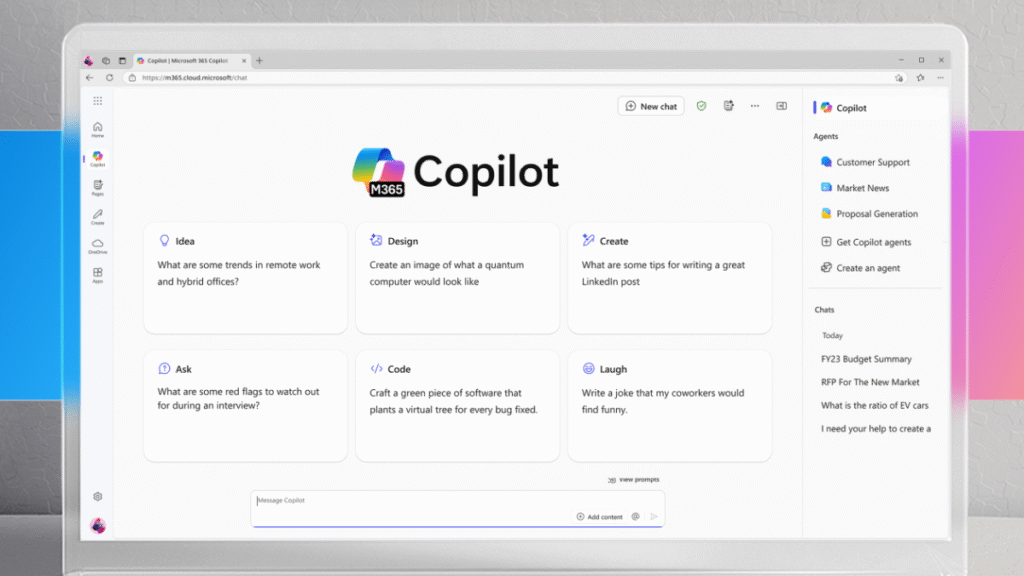
Microsoft 365 Copilot Interface
Microsoft's Latest AI Agent Empowers Users to ‘Vibe Code' Applications and Automate Processes with Ease
Let’s say you wake up with a brilliant idea for a new app that could transform how your team tracks project deadlines. Instead of spending weeks learning to code or hiring developers, you simply tell Microsoft 365 Copilot what you need. Within minutes, you have a fully functional app that your colleagues can use immediately.
This isn’t science fiction anymore. Microsoft has just launched game-changing capabilities that put app creation power directly in the hands of everyday workers. The company’s newest AI agents are transforming how we build, automate, and optimize our daily workflows.
The New Era of AI-Powered App Creation

AI App Building Interface
The landscape of software development has shifted dramatically. What once required specialized coding knowledge now happens through natural conversation with AI. This phenomenon, often called “vibe coding,” represents a fundamental change in how we approach problem-solving through technology.
What Makes This Different
Traditional app development involves multiple specialists working for months to translate business needs into functional software. With Microsoft 365 Copilot’s new building agents, the process becomes dramatically simpler:
• Natural language processing handles your requirements directly • Real-time collaboration happens within the familiar Microsoft 365 environment • Apps integrate seamlessly with your existing data and workflows • No technical expertise required to create functional applications
The approach eliminates traditional barriers between business needs and technological solutions. Users can focus on what they want to achieve rather than how to code it.
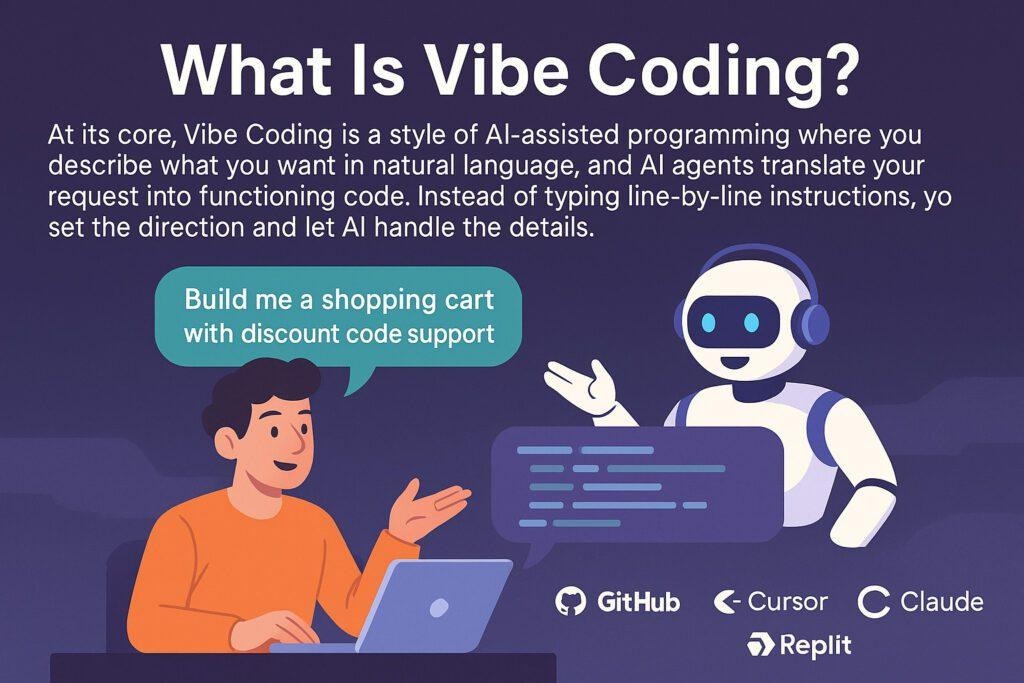
Vibe Coding Illustration
The Rise of Conversational Development
Vibe coding isn’t just about generating code automatically. It represents a new paradigm where developers describe their vision in plain language, and AI translates those descriptions into functional applications. This approach democratizes software creation, making it accessible to anyone with a clear understanding of their business processes.
Recent developments in natural language processing have reached a tipping point where AI can understand context, requirements, and technical constraints without explicit programming instructions. The result is a development experience that feels more like brainstorming with a highly knowledgeable colleague than traditional coding.
Microsoft’s App Builder: Your Digital Building Partner
Microsoft’s App Builder represents the company’s most ambitious attempt to simplify software creation. This new agent transforms casual conversation into fully functional applications that can handle real business processes.
How App Builder Works
The process begins with users describing their app requirements in natural language. App Builder then interprets these descriptions and generates complete applications with user interfaces, data storage, and business logic. What sets this apart is how seamlessly it integrates with Microsoft’s existing ecosystem.
Users can create several types of applications:
• Task management dashboards with real-time updates • Data visualization tools that pull from existing documents • Interactive calculators for specific business needs • Tracking systems for inventory, projects, or resources
Each application generates automatically with proper data structures, user permissions, and integration capabilities. The system doesn’t just create the interface—it builds the complete application architecture.
Real-Time Building and Refinement
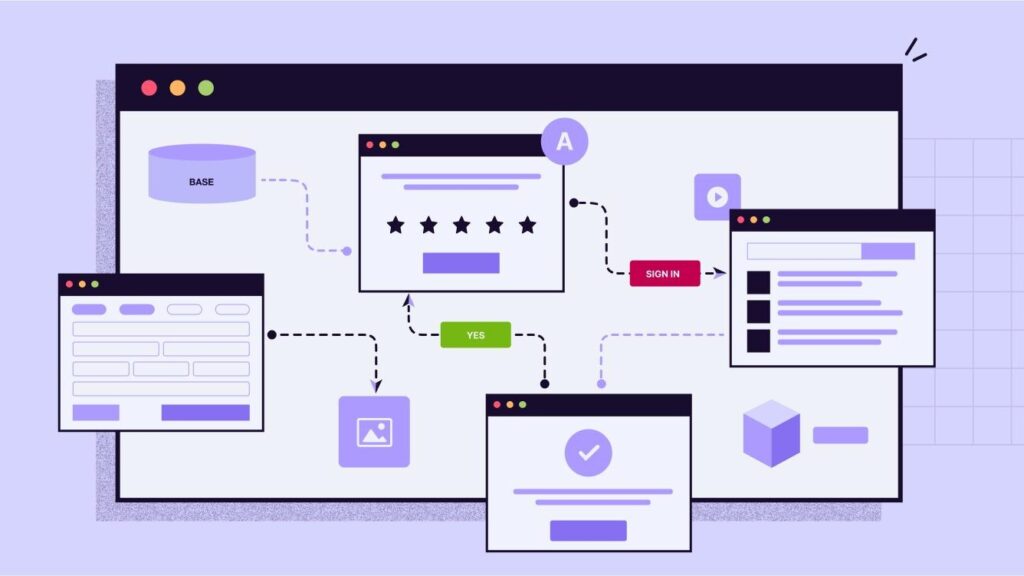
Business Workflow Diagram
One of App Builder’s most impressive features is its real-time feedback loop. Users can preview their application as it builds, request modifications, and see changes immediately. This iterative approach means final applications better match user expectations.
The refinement process includes multiple rounds of conversation where users can:
• Adjust layout and design elements • Modify data fields and validation rules • Add new features or remove unnecessary components • Test functionality before deployment
This collaborative approach reduces the gap between initial concepts and final implementations. Users get exactly what they need instead of settling for close approximations.
Workflow Automation Made Simple
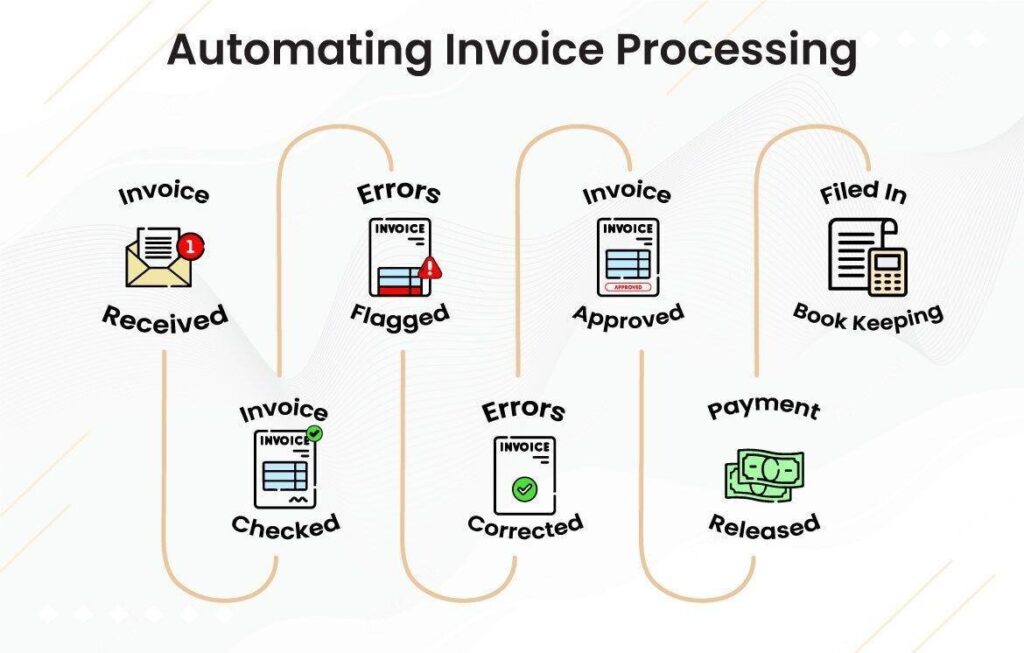
Automation Workflow Diagram
Beyond app creation, Microsoft’s new Workflows agent tackles repetitive business processes that drain productivity. This automation capability transforms manual tasks into intelligent, self-executing workflows that run continuously without human intervention.
Understanding Workflows Agent
The Workflows agent operates within familiar Microsoft 365 applications, connecting different services to create seamless automation chains. It can trigger actions based on specific conditions, schedule regular processes, and handle complex decision trees without requiring programming knowledge.
Key automation capabilities include:
• Email reminders with personalized content • Calendar updates and meeting coordination • Data synchronization across multiple platforms • Document processing and distribution
Each workflow builds step-by-step, showing users exactly what happens at every stage. This transparency helps users understand and trust the automation process.
Common Business Process Automation
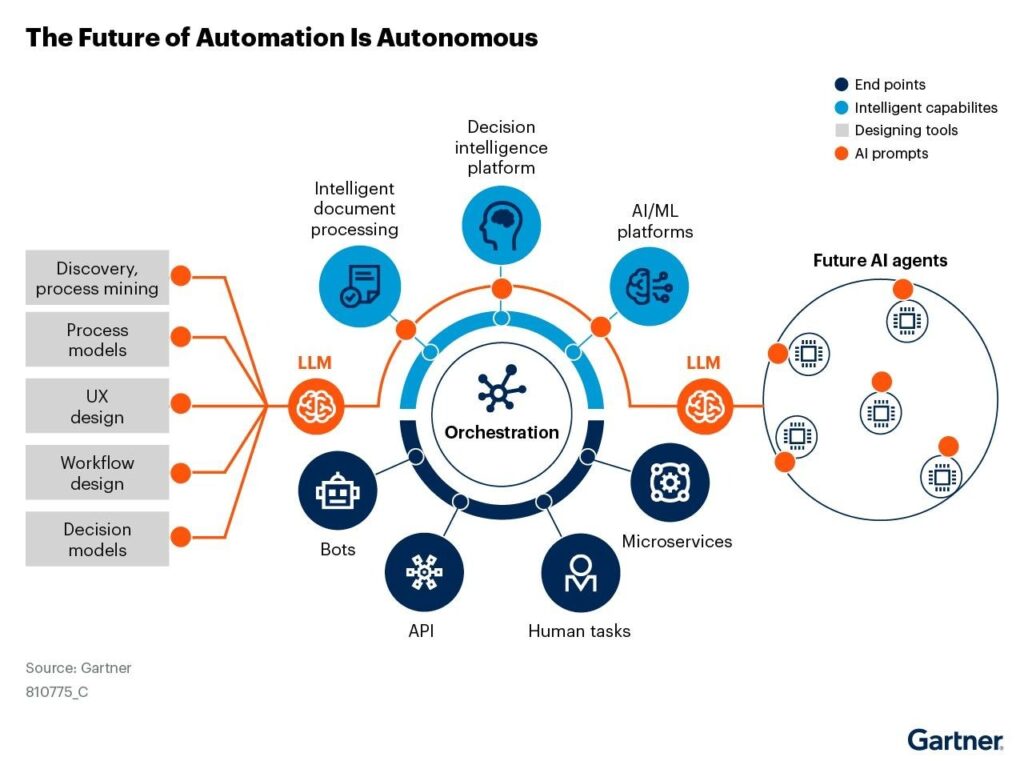
Gartner Automation Framework
Modern businesses face countless repetitive tasks that waste time and create opportunities for errors. The Workflows agent addresses these challenges by automating common processes:
Invoice Processing Automation The system can automatically: • Extract data from incoming invoices • Route documents for appropriate approvals • Update financial records in real-time • Send payment reminders to stakeholders
Employee Onboarding Workflows New hire processes become streamlined through: • Automated checklist generation • Equipment ordering and setup • Access permission provisioning • Training schedule coordination
Project Status Reporting Regular updates happen automatically through: • Progress data collection from team inputs • Dashboard updates and distribution • Stakeholder notification scheduling • Resource allocation adjustments
The Art of Conversational Development
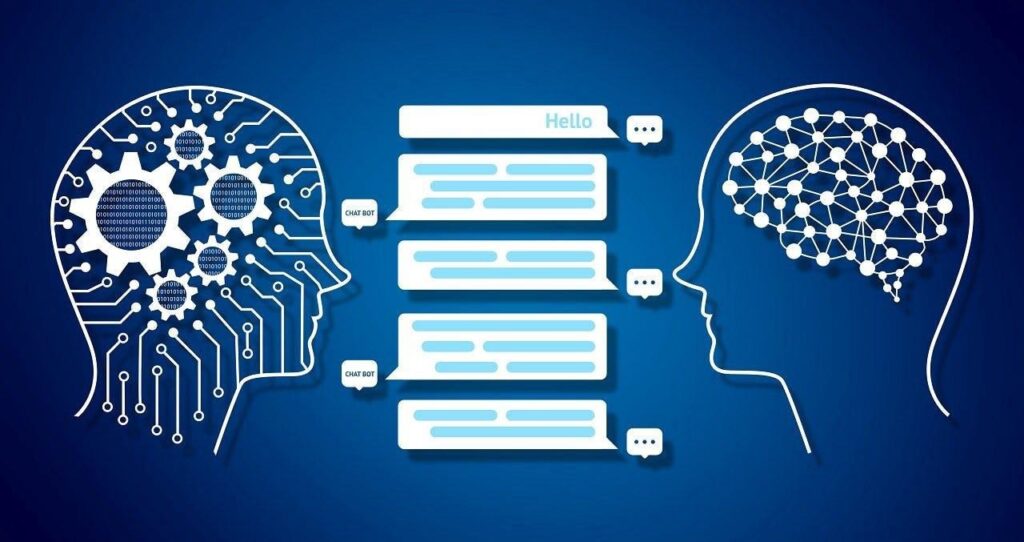
Human-AI Conversation Coding
Conversational development represents a fundamental shift from traditional programming paradigms. Instead of learning specific syntax and frameworks, users communicate their needs naturally while AI handles the technical implementation details.
Natural Language Processing in Action
Modern AI systems can interpret complex business requirements expressed in everyday language. When users describe their needs, the system understands context, constraints, and desired outcomes without requiring technical specifications.
The conversational approach includes several key advantages:
• Reduced learning curve for new users • Faster development cycles for simple applications • Better alignment between requirements and final products • Easier maintenance and modification of existing apps
Multi-Turn Collaboration
Building apps through conversation isn’t a one-time exchange. It involves ongoing dialogue where users refine their ideas, adjust requirements, and improve the final product through multiple iterations.
This collaborative process includes:
• Initial concept discussion and requirement gathering • Feature prioritization and scope definition • Design preferences and user experience considerations • Testing feedback and performance optimization
Each conversation builds upon previous exchanges, creating increasingly sophisticated applications that match user expectations more closely.
Real-World Applications and Use Cases
Top No-Code AI Builders
The practical applications of Microsoft’s building agents extend across industries and business functions. These tools solve real problems that organizations face daily, from small team coordination to enterprise-level process optimization.
Marketing Campaign Management
Marketing teams can quickly build applications that: • Track campaign performance across multiple channels • Manage content calendars and publication schedules • Coordinate with external agencies and vendors • Generate reports for stakeholder updates
Human Resources Process Optimization
HR departments benefit from custom applications that: • Streamline employee onboarding workflows • Manage vacation requests and approval processes • Track training completion and certification status • Coordinate performance review schedules
Financial Planning and Analysis
Finance teams can create tools for: • Budget tracking and variance analysis • Expense report processing and approval workflows • Financial forecasting based on historical data • Regulatory compliance monitoring and reporting
Supply Chain Coordination
Operations teams can build applications that: • Track inventory levels across multiple locations • Coordinate with suppliers and logistics providers • Monitor delivery schedules and shipping status • Generate performance reports for leadership review
Behind the Scenes: Security and Integration
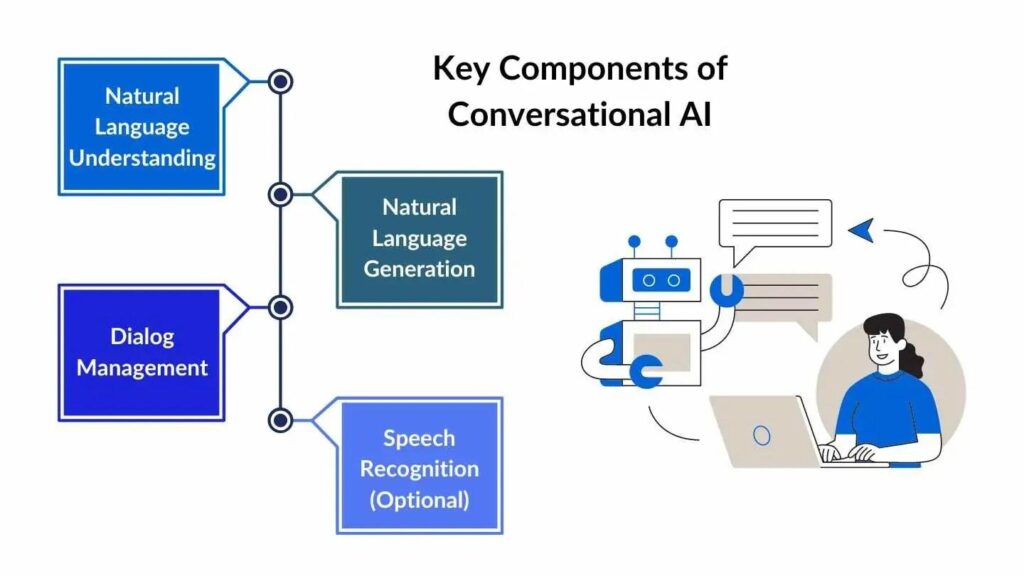
AI Development Illustration
While the user experience feels simple and intuitive, Microsoft’s building agents operate within a sophisticated security and governance framework. Every application created through these tools inherits enterprise-grade protection and compliance features.
Built-in Security Measures
The platform includes comprehensive security features:
• Role-based access control for all applications • Data encryption both in transit and at rest • Audit logging for all user actions and system changes • Compliance with international data protection standards
Seamless Microsoft 365 Integration
Applications built through Copilot integrate natively with existing Microsoft 365 services. This integration provides several advantages:
• Single sign-on across all applications and services • Consistent user experience across the platform • Automatic backup and disaster recovery capabilities • Unified administrative controls and policy enforcement
Data Governance and Compliance
Organizations maintain complete control over their data through: • Granular permission settings for different user groups • Automatic data retention and archival policies • Compliance monitoring and reporting capabilities • Integration with existing data loss prevention tools
Getting Started with Microsoft’s Building Agents
Microsoft Copilot Logo
Access to these powerful building capabilities requires participation in Microsoft’s Frontier program for Microsoft 365 Copilot customers. This program provides early access to cutting-edge features that will eventually roll out to all users.
Access Requirements and Availability
Currently, the following conditions apply:
• Microsoft 365 Copilot subscription required • Participation in the Frontier program • Administrator approval for building agent access • Microsoft 365 admin center configuration
Initial Setup Process
Getting started involves several straightforward steps:
- Verify Subscription Status Confirm your organization has active Microsoft 365 Copilot licensing Contact your administrator if access isn’t available
- Request Frontier Program Access Submit a request through your Microsoft 365 admin center Provide business justification for early access Wait for approval notification
- Enable Building Agents Configure permissions in the Microsoft 365 admin center Set up appropriate user groups and access levels Test basic functionality with sample applications
Best Practices for Success
Maximizing the value of these building agents requires strategic approach:
• Start with simple applications to learn the platform capabilities • Involve stakeholders in the requirements gathering process • Plan for ongoing maintenance and updates • Document business processes before automation
The Future of Workplace Productivity
Microsoft’s launch of App Builder and Workflows represents more than just new features. It signals a fundamental shift in how organizations approach problem-solving and productivity enhancement. This change affects everyone from individual contributors to senior leadership.
Democratizing Technology Creation
Traditional software development has created barriers between business needs and technological solutions. These new capabilities eliminate those barriers, allowing anyone with domain expertise to create powerful applications that solve specific business challenges.
The democratization of app creation means:
• Faster innovation cycles within organizations • Reduced dependency on IT departments for simple applications • Better alignment between business needs and technical solutions • Increased employee engagement with technology tools
Impact on Organizational Culture
As more employees gain the ability to create their own solutions, organizational culture evolves toward:
• Greater experimentation with new approaches • Increased ownership of process improvement • Enhanced collaboration between business and technical teams • More rapid response to changing business conditions
Preparing for the AI-Era Workplace
Organizations that embrace conversational development tools position themselves for success in an increasingly AI-driven business environment. The skills that matter most include:
• Clear communication of business requirements • Understanding of workflow optimization principles • Ability to collaborate effectively with AI systems • Comfort with iterative development processes
Conclusion
Microsoft 365 Copilot’s new building agents mark a pivotal moment in workplace productivity technology. The ability to create functional applications through simple conversation fundamentally changes how organizations approach problem-solving and process optimization.
These tools represent the maturation of AI-assisted development, where the focus shifts from learning technical skills to understanding business needs. The technology handles complexity while users focus on innovation and value creation.
The future workplace will be shaped by these capabilities, where every employee can become a creator of digital solutions. This shift promises to unlock unprecedented levels of creativity and efficiency across all industries.
Ready to transform your organization’s approach to app creation and workflow automation? Explore the latest Microsoft 365 Copilot building capabilities and discover how conversational development can revolutionize your daily work.
Learn more about Microsoft 365 Copilot’s app and workflow building features
More Posts:
- The Future is Here: How Google’s “Vibe Coding” Will Transform Video Game Creation for Everyone
- Cursor Drops Composer For Vibe Coders: The AI Coding Model That’s Changing How Developers Work
- Website Cloning Is Exploding — MultiCloner AI Lets You Profit from the $13.4B Market
- AI Logo Suite: The First App That Lets You Animate & Sell Cinematic Logos in Seconds — Build a 6-Figure Motion Branding Business Instantly
- Create Dedicated AI Social Media Managers That LIVE & Work For You Through WhatsApp, SMS, Chat Using AICora – Your Complete AICora Review