Why Windows 11 Has So Many Web Apps: WinUI’s Missing Basics Are Finally Arriving

Look at the apps installed on a typical Windows 11 machine and you will find a pattern: the chat client is a web app, the new email client is a web app, the music player and the meeting tool and half the productivity suite run on web technology. The reason is rarely that developers dislike native Windows development. It is that for years, the modern native framework, WinUI 3, lacked the basic building blocks that everyday applications need, and Microsoft's own experimental channel is finally supplying them.
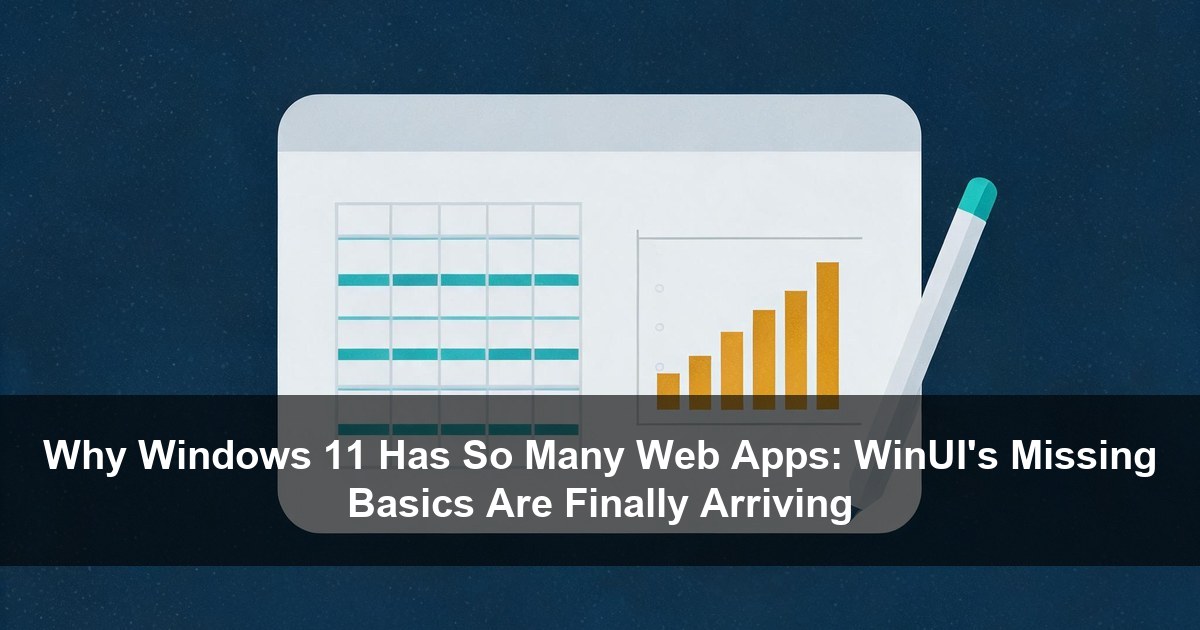
Three of those basics arrived in Windows App SDK 2.5.4-experimental on September 29, 2026: TableView, a native data table; Chart, a native charting control; and reworked inking controls with InkCanvas and InkToolbar. WinUI Gallery 3.0, released October 13, ships samples for all of them. None are ready for production apps, and that caveat matters, but the direction is what the developer community has asked for since the platform shipped in 2021.
This article covers what each control does, the five-year gap it closes, what the controls deliberately do not do, and the practical question underneath it all: whether native Windows apps can finally compete with Electron and WebView2 wrappers on the features that pushed developers to the web in the first place.
The basics that were missing
The Windows App SDK is the package of APIs and tools that ships WinUI, the modern native UI framework for Windows applications, and its documentation describes it as the recommended platform for new Windows desktop applications, working alongside older frameworks such as WPF and Windows Forms. What it never shipped, until now, are three control families that ordinary applications take for granted, and the absence shaped where developers built. This site has covered the same pattern from the user's side before: web wrappers on the desktop, and the RAM bills that come with them, in the Rank Math backdoor analysis of a WordPress plugin ecosystem and in the broader coverage of tools that promise native speed and deliver a browser.
TableView is a native control for displaying, sorting, filtering, grouping and editing large sets of tabular records. Developers can let users click a header to sort, resize and freeze columns, switch between compact, standard and comfortable row densities, build richer cells through template columns, and rely on virtualized rows for large datasets. Microsoft's own Contoso Sales Ledger demonstration handles 5,000 deals across eleven columns.
Chart provides line, area and bar series with category and date-time axes, numeric value axes, legends, data labels and markers. Multiple series can share axes, and the gallery sample shows a series updating live from an ObservableCollection.
InkCanvas and InkToolbar bring pen, touch and mouse input back to the modern framework. The toolbar includes pen, pencil, highlighter, eraser and ruler buttons, strokes can be saved as GIF files that reload as editable ink, and the newer experimental release lets the toolbar drive an InkPresenter directly and adds an InkSynchronizer so applications can render committed ink themselves. That last detail makes WinUI inking practical for note-taking apps rather than only for sketching surfaces.
Before these arrived, a developer building an inventory tool, a finance dashboard or a note-taking app had three options: buy the controls from third-party vendors such as Syncfusion, DevExpress or Telerik, borrow from community projects, or build them by hand. Each option added cost, dependency or time to a project whose core value was usually elsewhere, and each one made the web alternative, where a data grid or a chart is a drop-in component away, look more reasonable than it should have.
The five-year gap, measured
The timing is the story. Windows App SDK 1.0 shipped in November 2021, and by then the third-party vendors were already advertising DataGrid and chart controls for the new platform. Microsoft's first-party WinUI answer took close to five years.
At Build 2026, a member of Microsoft's Windows UI team acknowledged on stage that the platform had a large number of feature gaps, and named data grids and charting as priorities. The same conference carried the message that Microsoft wanted developers building native rather than web-based apps, which makes the missing basics more than an inconvenience; they were the reason the native route was harder.
An engineer on the WinUI team wrote in the TableView announcement that the community had asked for data table support in WinUI 3 for a long time, and the inking announcement made the same point from the migration side: developers moving apps from the older UWP framework to WinUI 3 found that inking, which UWP had for years, simply was not there.
The context for the delay is that WinUI's development itself only opened up recently. Microsoft announced its phased open-source plan for WinUI in July 2025, completed the phase moving mainline development to GitHub in August 2026, and outside contributions are still being validated rather than accepted. The XAML compiler remains partly closed. The controls now arriving experimentally are among the first visible results of that process, which is why they took as long as they did.
What the controls deliberately do not do
The fine print deserves as much attention as the features, because it defines who these controls are for today.
TableView's documentation states that it is not a DataGrid replacement and does not provide spreadsheet-style interaction. Users can select only one row, sort by one column at a time, and group by one level, and columns cannot be reordered. Hierarchical views and application context menus are on the way. For a ledger or a settings list, that is sufficient. For a power-user grid that behaves like Excel inside an application, it is not yet, and WinUI developers who need that today will keep their third-party grid.
Chart draws prepared data and nothing more. The WinUI team's own guidance is explicit that calculations such as savings rate, cash runway or category totals belong to the application, not the chart control. That is a defensible design boundary, and it prevents the control from becoming a slow general-purpose math engine, but it means developers still write the analytics layer themselves.
Developer feedback on the early releases reflects the gap between experimental and complete. Some responses to the chart announcement asked why a pie chart was absent; others requested zoom and pan; an open issue notes that the control does not yet follow Fluent design conventions. These are the comments an experimental channel exists to collect, which is exactly why the delivery mechanism matters as much as the controls.

The delivery mechanism: experimental first, feedback early
The second half of the story is how Microsoft is shipping. WinUI Gallery 3.0, the reference application where developers explore controls and copy working sample code, is the first version built on the experimental Windows App SDK channel rather than on stable releases.
The product manager behind the gallery explained the reasoning: until now, new controls usually appeared in the gallery only after reaching a stable release, by which point the APIs were mostly locked and there was little room to change them based on feedback. Targeting the experimental channel means samples ship as soon as a control does, and feedback arrives while the APIs can still change.
The gallery ships the experimental SDK self-contained, so no separate installation is needed. Experimental pages carry a badge, experimental samples show a warning in their source panel, and the guidance is unambiguous: do not use experimental APIs in production apps. Version 3.0 of the WinUI Gallery also adds samples for WrapPanel, LayoutPanel, PagerControl and new window sizing properties, along with more than ten accessibility fixes, which is a reminder that the gallery is a product in its own right rather than a demo wheel.
For developers, the practical effect is a shorter loop from Microsoft shipping a control to a developer evaluating it in a runnable app. That loop length was part of why WinUI feedback felt slow in previous years, and shortening it is a reasonable prerequisite for the controls ever leaving experimental status with the right shapes rather than the shapes a locked API froze in place. It is also the same open-source rhythm the wider AI and developer tooling world has settled into, from the WinUI-style reference galleries used to showcase agent research to the model releases this site covered in the Meta Muse Spark Open analysis: ship a runnable artifact first, collect feedback while change is still cheap.
The question underneath: fewer web apps on your PC
The reason these basics matter beyond the developer community is the web-app pattern on Windows desktops. Electron packages Chromium and Node.js to run web-based desktop applications; WebView2 embeds Microsoft's Edge-based web rendering engine inside an app. Both let developers reuse web skills and ship one codebase across Windows, macOS and Linux, and both bring browser processes and memory usage with them.
The memory difference is real and measurable. In hands-on testing published at the end of October 2026, the WebView2-based WhatsApp for Windows idled at roughly 600 MB of RAM while the older native client sat below 100 MB. Multiply that pattern across the chat, email, music and meeting apps on a typical machine, and the reason Windows 11 machines feel heavy becomes concrete. The same resource economics drove the idle GPU capacity analysis on the AI side: hardware that is provisioned but underused, paid for in full.
Could native controls change that? Partially, and conditionally. A developer prototyping an accounting application can now build the ledger table, the finance dashboard and the signature box entirely with Microsoft's native controls, which was not true a year ago. But three conditions stand between that capability and fewer web-app installs. The controls must reach stable, because experimental APIs cannot ship in production apps. Performance must improve, since Microsoft has acknowledged that WinUI applications can also consume excessive memory, and the 2.5.4 release does address a resource-tracking bug that grew memory when apps repeatedly created visual-state storyboards or resolved theme resources, plus cleanup of unreachable native objects in .NET apps after a page closes. Fixing memory growth in the framework itself is the prerequisite for the native argument to hold, because a native app that leaks is no better than a web app that bloats. And the smaller conveniences, such as the shift-click scrollbar shortcut that even Electron applications support, need to arrive for native apps to feel finished rather than merely functional.
The Visual Studio visual designer is the other long-standing request that shapes the decision. Native development competes with the web when the whole experience, from layout to debugging, is productive, not when the controls exist but the tooling lags, and a developer comparing two frameworks judges the afternoon of work, not the feature matrix.
Why developers chose web apps over WinUI, in one paragraph
The web-app pattern on Windows is not an accident of taste; it is a sequence of rational choices under constraints. A team with web skills can ship to Windows, macOS and Linux from one codebase, hiring from the largest talent pool in software. Updates deploy without installers or store review cycles. UI work that would take months in a native framework ships in weeks with HTML and CSS. Against that stood the costs: memory footprint, startup time, and an interface that never quite belongs to the operating system it runs on.
The calculus only shifts when the native side removes its disadvantages faster than the web side removes its own. That is what makes this release significant beyond its control list. The missing table, chart and ink controls were the concrete reasons a native rewrite stalled; performance and tooling are the others, and Microsoft has named both as priorities. If the controls stabilize, the visual designer ships, and the memory work holds, the equation for a new Windows application starts to favor native for a category of apps that had no realistic native path: the internal tools, admin panels, finance dashboards and note apps where the data grid is the product.
The same logic explains what will not change soon. Cross-platform suites, Electron stalwarts with plugin ecosystems, and applications whose web version is also their web product have no reason to move. The realistic outcome is narrower and more useful: new Windows-first applications, the kind built by small teams for Windows users specifically, gaining a viable native option. That is the segment where the RAM difference between 600 MB and 100 MB is a marketing point rather than a rounding error, and it is the segment Microsoft is addressing first.
What to watch next
Three signals will show whether this genuinely changes the Windows application landscape, and each is observable from the outside.
Stability dates. When TableView, Chart and the inking controls leave experimental status in a stable Windows App SDK release, production adoption becomes possible. Until then, they are evaluation material.
Feature completeness. Pie charts, multi-column sorting, column reordering, hierarchical rows and Fluent styling for charts are the requests visible in public feedback. Their arrival would indicate the controls are converging on what third-party vendors have shipped for years.
Marquee migrations. The strongest signal would be a major Microsoft application, the new Outlook being the obvious candidate, rebuilding natively on WinUI with these controls. Microsoft's own applications are its best demonstration, and the current new Outlook is a WebView2 application.
For developers, the immediate action is simpler: install WinUI Gallery 3.0 from the Microsoft Store, open the experimental pages, and test whether the table, chart and ink controls cover the use cases that previously forced a web or third-party detour. If they do, filing the gaps found along the way is not a courtesy; it is the input that decides whether these controls arrive stable enough to change what gets built for Windows. Feedback given now shapes the stable WinUI APIs, which is the entire point of shipping them this way.
The trade-off, summarized
Windows 11 is full of web applications because the native alternative was missing parts, and the parts are arriving five years after WinUI's stable debut. TableView, Chart, InkCanvas and InkToolbar in the experimental SDK close the most commonly requested gaps, WinUI Gallery 3.0 makes them testable immediately, and the open-source process on GitHub is the mechanism that got them built. None of it is production-ready today, the DataGrid caveats are real, and performance is a parallel workstream rather than a solved problem, but the WinUI roadmap is now aimed at the exact gaps that pushed developers toward the web. But the direction is finally aligned with the request, and for the first time since WinUI 3 shipped, the argument for building native Windows applications is getting stronger instead of weaker.
Sources
- Microsoft, WinUI Gallery 3.0 is here: TableView, Charts, InkCanvas and more, the announcement of the experimental-channel gallery and its new samples: https://devblogs.microsoft.com/ifdef-windows/winui-gallery-3-0-is-here-tableview-charts-inkcanvas-and-more/
- Microsoft, Windows App SDK overview and release channels, covering the stable, preview and experimental channels and what the SDK provides: https://learn.microsoft.com/en-us/windows/apps/windows-app-sdk/
- Microsoft, the WinUI GitHub repository, where mainline WinUI development now takes place in public: https://github.com/microsoft/microsoft-ui-xaml